Website Development with Universal Design Focus
This bachelor project focused on designing and developing a new website for Viken Kollektivterminaler, with universal design as the main focus.
The project started with UI design and prototyping in Figma before being implemented in WordPress to make the website easier for the organization to maintain after handover. The work included information architecture, responsive page design, terminal pages, navigation, search, contact functionality, accessibility testing and WCAG-based evaluation.
INDUSTRY
CLIENT
SERVICE
DATE
WEBSITE




Viken Kollektivterminaler needed a modern website that could present information about the organization, its responsibilities and its public transport terminals in a clearer and more accessible way.
The website had to serve several different user groups, including travellers, politicians, transport operators, partners, tenants, job seekers and contractors. This meant the solution needed a clear structure, easy navigation and content that was understandable for different types of visitors.
The project also had a strong universal design requirement. The website needed to follow current accessibility standards and be easy for the organization to maintain after handover.
The goal was to design and develop a new main website for Viken Kollektivterminaler with universal design as a central focus.
The website needed to be modern, responsive and user-friendly, while also making important information easier to find. It also had to support key functions such as terminal information, navigation, search, news, contact forms and travel planning.
Another important goal was to build the website in WordPress, so the organization could update and manage the content without needing advanced technical knowledge.
This was a group bachelor project where I contributed to the design and development of the VKT website. The work included UI design, Figma prototyping, WordPress implementation, information structure, accessibility work, user testing and design revision.
The project gave me experience with designing and building a larger multi-page website for a real client, with a strong focus on universal design, usability, responsive layouts and maintainable content management.
Scope of Work
Site Structure
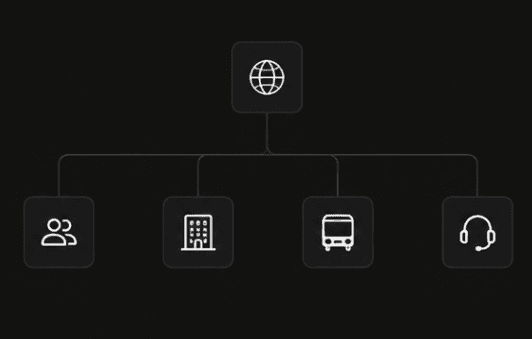
For Travellers
Travel-focused pages for bus terminals, ferry terminals, routes, tickets, lost property, storage and assistance services.
About VKT
Organizational pages about Viken Kollektivterminaler, responsibility areas, news, sustainability, leadership, reports, press information and available positions.
Terminals & Responsibility Areas
Pages covering bus terminals, ferry terminals, hubs, parking, micromobility, driver facilities and other responsibility areas.
Customer Service
Support pages with contact information and a help center for users who need assistance or want to reach the organization.
Key Pages
The website included several page types designed for different user needs, from travel information to organizational content and customer support.
Instead of showing every page, this section highlights selected screens that represent the main structure and functionality of the website.

Homepage
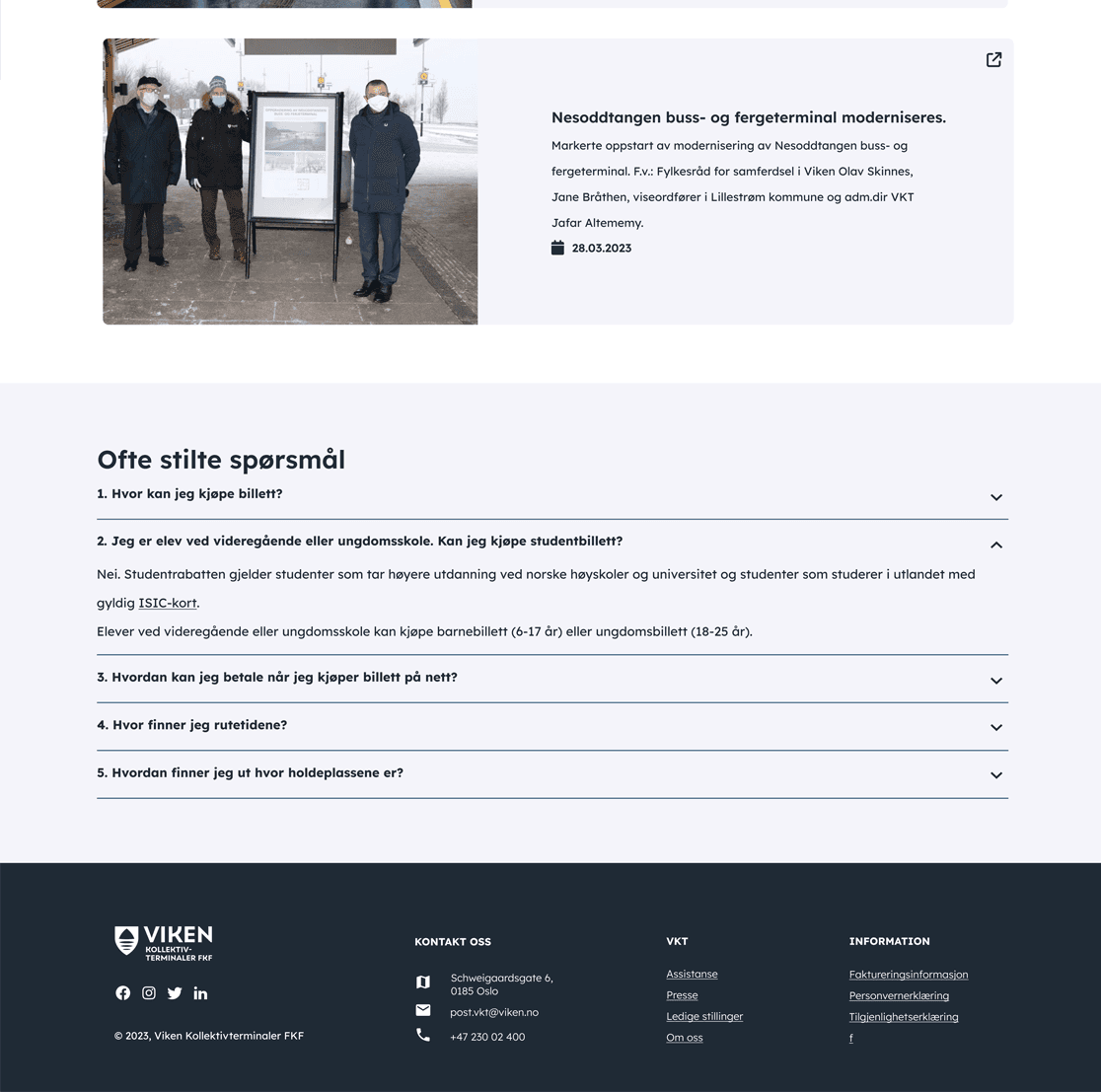
The homepage introduced the website with clear navigation, direct call-to-action buttons and a travel planning section. The goal was to help users quickly move toward the most relevant travel information.
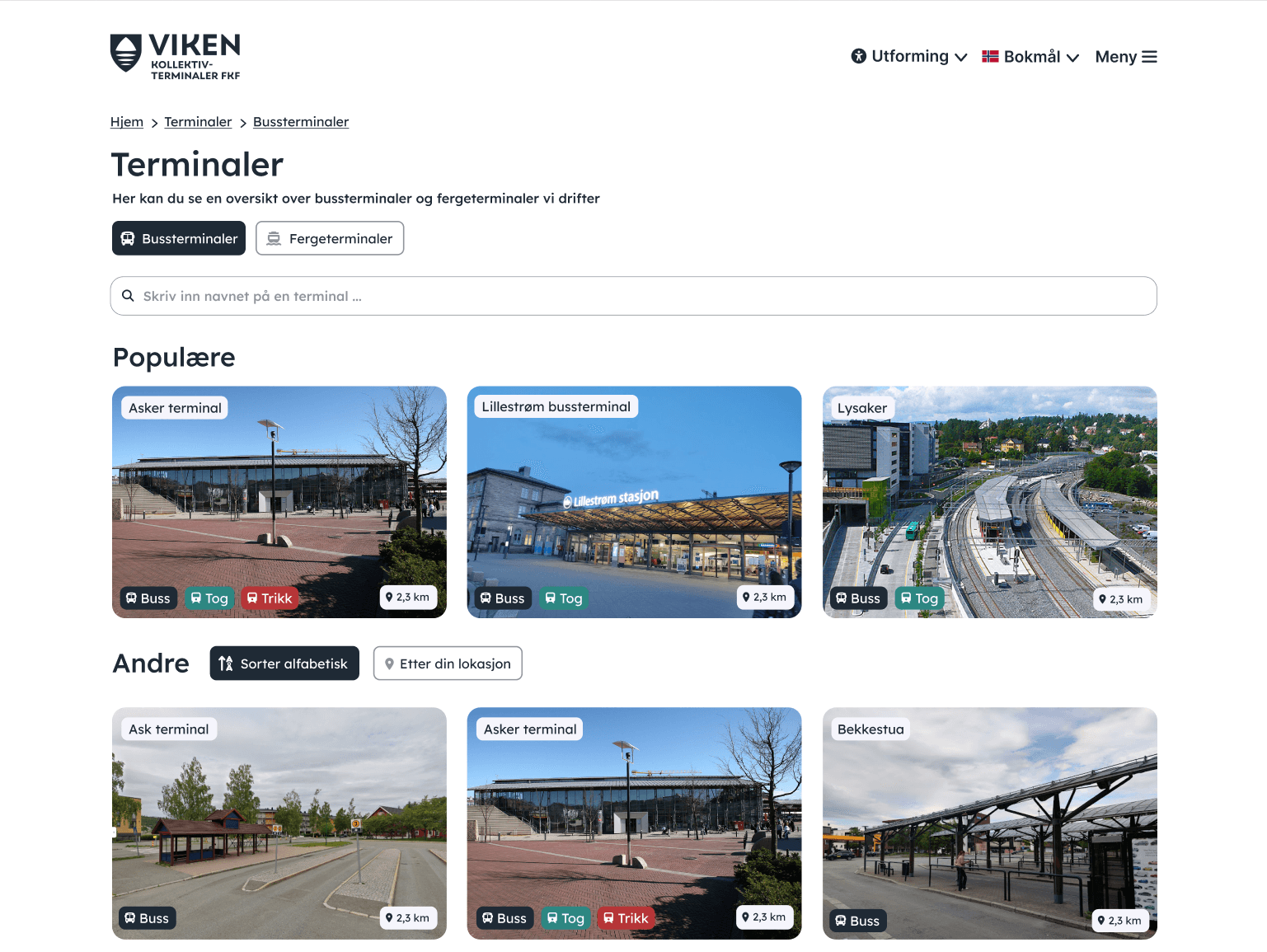
Terminal Overview
The terminal overview gave users a structured way to browse bus and ferry terminals. Search, categories and visual cards helped users find the right terminal more efficiently.
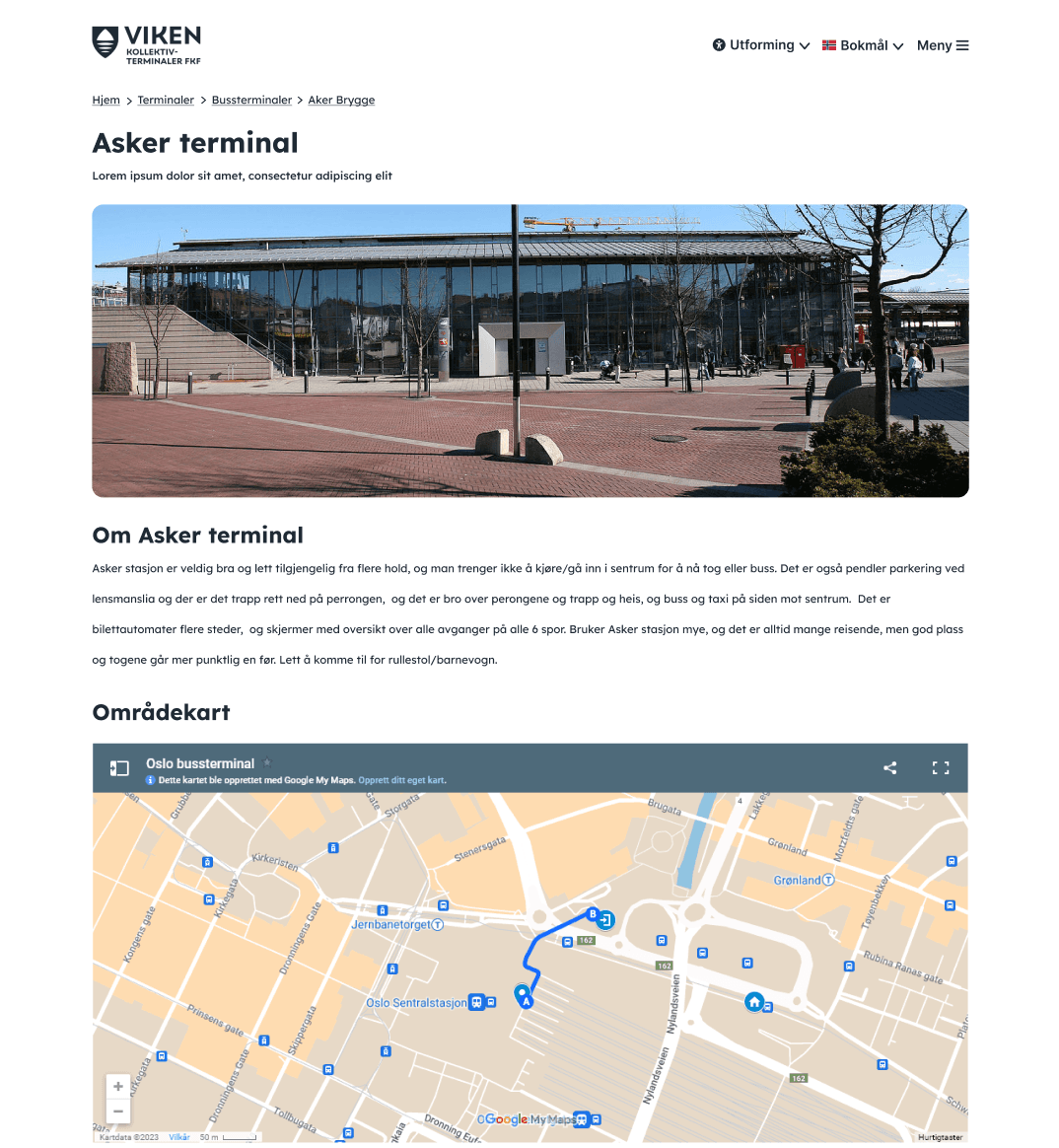
Terminal Page
Each terminal page presented location-specific information, images and map content. This made it easier for travellers to understand what services and facilities were available at a specific terminal.
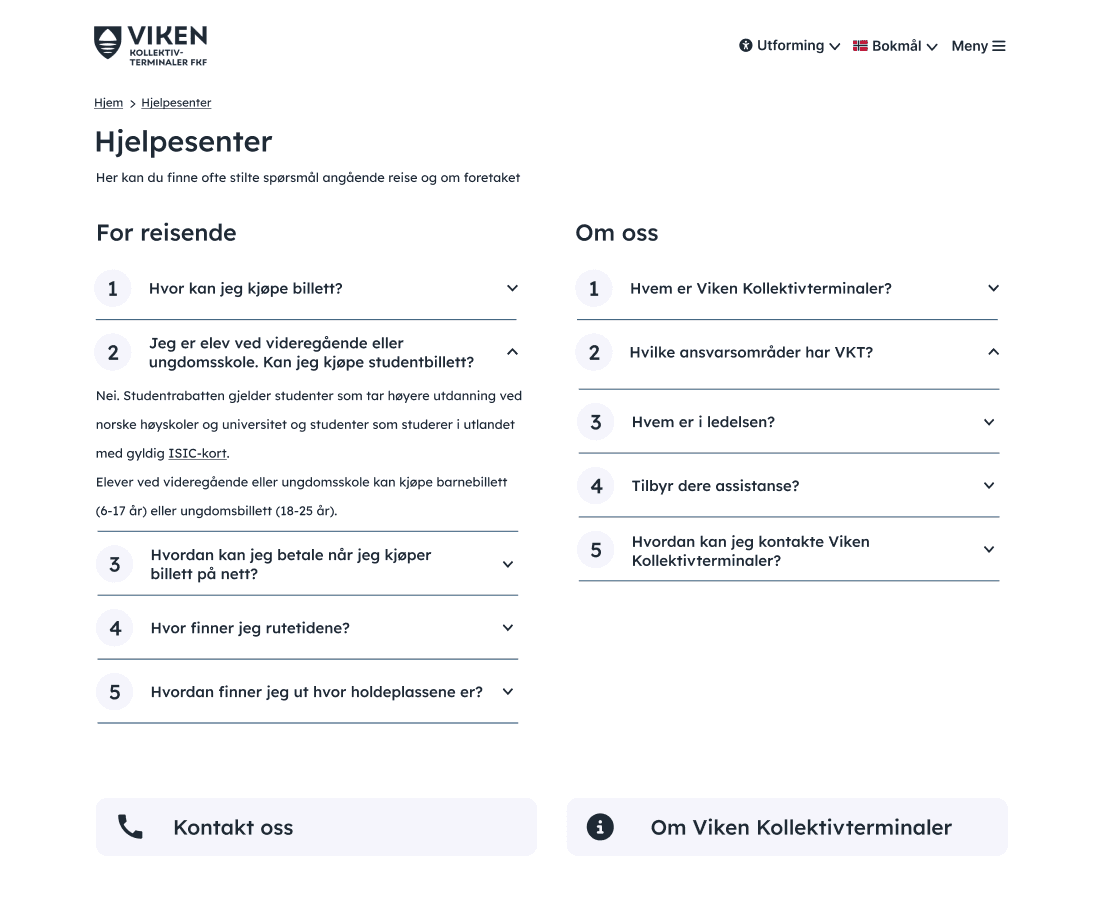
Help Center
The help center organized common questions into expandable sections. This helped users find answers without needing to contact the organization directly.
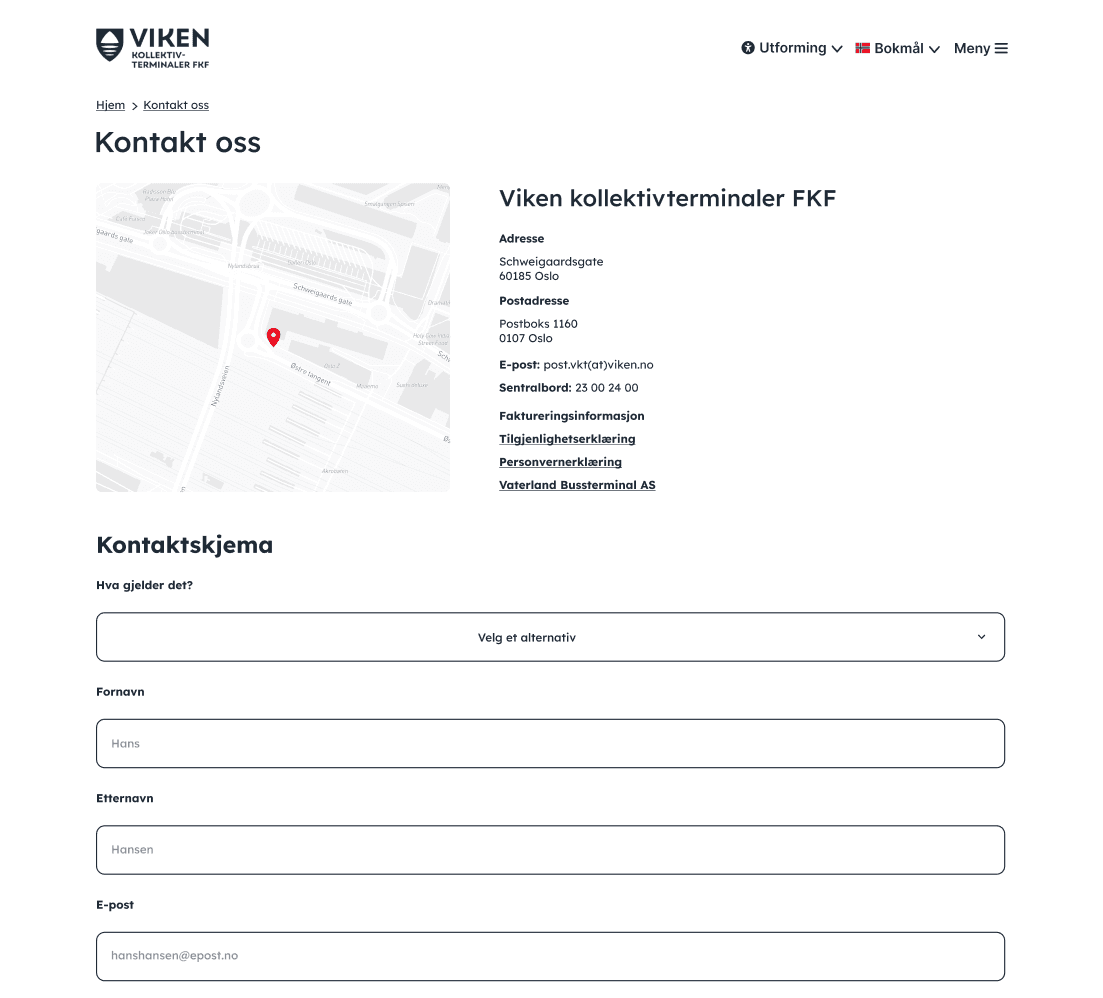
Contact Page
The contact page combined location information, important links and a contact form, giving users a clear way to reach Viken Kollektivterminaler.
Accessibility
DESIGN FOR INCLUSION
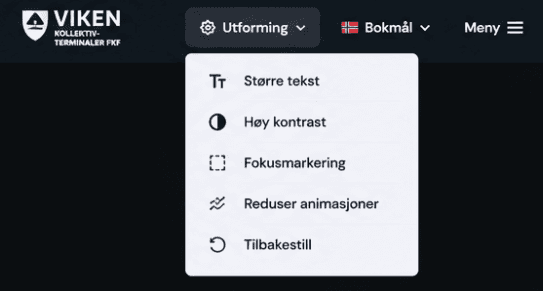
WCAG-based evaluation
Checked the website against relevant accessibility requirements.
Contrast and readability
Tested color contrast, text sizing and spacing to support readable content.
Keyboard navigation
Considered keyboard access and focus order for users who do not rely on a mouse.
Alternative text and structure
Used text alternatives, headings and meaningful content order to support assistive technology.
Responsive design
Designed the website to work across desktop, tablet and mobile layouts.
User Testing & Evaluation
The website was evaluated through both user testing and accessibility testing throughout the project. Because universal design was a central focus, it was important to test whether the solution was understandable, usable and accessible for different users in practice.
Testing started with an on-site session at Oslo Bussterminal on 12 April 2023, where 13 users tested the solution over 3.5 hours. Additional tests with friends and family were later carried out to broaden feedback, bringing the total to 29 user tests.
Prototype testing in Figma
The early Figma prototype was tested before development to gather feedback quickly and improve the solution before implementation.
Real-world user testing
The first user testing session was carried out at Oslo Bussterminal on 12 April 2023. In total, 13 users tested the solution over 3.5 hours in a realistic travel environment.
Navigation feedback
User testing showed that the original menu was harder to find and navigate than expected. Based on this feedback, the navigation structure was redesigned into a clearer dropdown menu solution.
Accessibility testing with WAVE
The website was tested with the WAVE browser extension to identify accessibility issues during development, including contrast errors, missing alternative text and ARIA-related structure.
WCAG and inclusive design
The website was reviewed against the 47 relevant WCAG 2.1 success criteria for public-sector websites. The checklist helped evaluate areas such as contrast, text alternatives, keyboard navigation, focus order, headings, form labels and responsive behavior.
Final Outcome
The final result was a responsive WordPress website for Viken Kollektivterminaler, developed with universal design, clear navigation and maintainable content management as central goals.
The website included a structured navigation system, terminal information pages, search functionality, a help center, contact form, travel planning support and accessibility features for different user needs.
The solution was designed to make important travel and organizational information easier to find, while also giving VKT a website that could be updated and maintained after handover.
WEBSITE
Reflection
This section reflects on what I learned through the project, the limitations of the solution, and possible areas for future improvement.
This project gave me valuable experience with designing and developing a larger website for a real organization. It showed me how UI design, information architecture, accessibility and technical implementation all need to work together for the final solution to feel clear and usable.
I learned that universal design has to be considered throughout the whole process, not only checked at the end. Decisions about navigation, contrast, text structure, form labels, keyboard access and responsive layouts all affected how accessible and user-friendly the website became.
The project also gave me practical experience with WordPress as a content management system. Since the website needed to be maintained by the organization after handover, it was important to create a solution that was not only visually clear for users, but also manageable for the people responsible for updating it.
The project had some limitations. WordPress made the website easier to maintain, but it also created some restrictions compared to building a fully custom-coded solution. Some design and functionality choices had to be adapted to the tools, themes and plugins available within the platform.
Further testing could also have strengthened the project. The website was tested with users and evaluated with accessibility tools, but future work could include more testing with assistive technologies, screen readers and users with different accessibility needs.
Future improvements could include continued accessibility evaluation, more detailed testing on mobile devices, further content refinement, and updates based on real usage after launch. Since accessibility standards and user needs can change over time, the website should continue to be reviewed and improved after handover.