NutriBot

NutriBot

Chatbot for Healthy Ageing

NutriBot is an academic HCI project focused on designing, developing and testing a chatbot that supports healthy ageing through nutrition guidance. Designed for older adults, the prototype provides personalized nutrition advice through a simple conversational interface, using onboarding, user preferences and accessibility settings to create a more supportive user experience.

INDUSTRY

Health

Health

CLIENT

Academic Project

Academic Project

SERVICE

Chatbot Design, UI/UX Design, Prototyping, User Testing

Chatbot Design, UI/UX Design, Prototyping, User Testing

Chatbot Design, UI/UX Design, Prototyping, User Testing

DATE

November 2025

November 2025

The Problem

The Problem

As people grow older, healthy eating becomes increasingly important, but nutrition advice is not always easy to access, understand or apply in everyday life. Older adults may also have different needs, preferences and levels of digital confidence, which means that a chatbot for this group needs to be simple, trustworthy and accessible.


The challenge was to design a chatbot experience that could provide useful nutrition guidance while still being easy to understand, easy to navigate and adapted to older users.

The Goal

The Goal

The goal was to create a high-fidelity chatbot prototype that could help older adults make healthier food choices through personalized and evidence-based nutrition advice.


The project also aimed to explore how older adults experience the usability and accessibility of the interface, how relevant and personalized the chatbot responses feel, and whether users understand the information they receive.

My Role

My Role

This was a group project where I contributed to the design and development of the NutriBot prototype. The work included research, interface design, prototyping, usability evaluation, user testing and design revision.


The project gave me experience with designing for a specific target group, working with accessibility requirements, evaluating real user feedback and improving an interface through several design iterations.

Scope of Work

Research

Research

UI Design

UI Design

Prototyping

Prototyping

Usability Evaluation

Usability Evaluation

User Testing

User Testing

Design Iteration

Design Iteration

Accessibility

Accessibility

Key Features

A visual walkthrough of the core product features designed to support older adults with a simple, accessible and personalized chatbot experience.

A visual walkthrough of the core product features designed to support older adults with a simple, accessible and personalized chatbot experience.

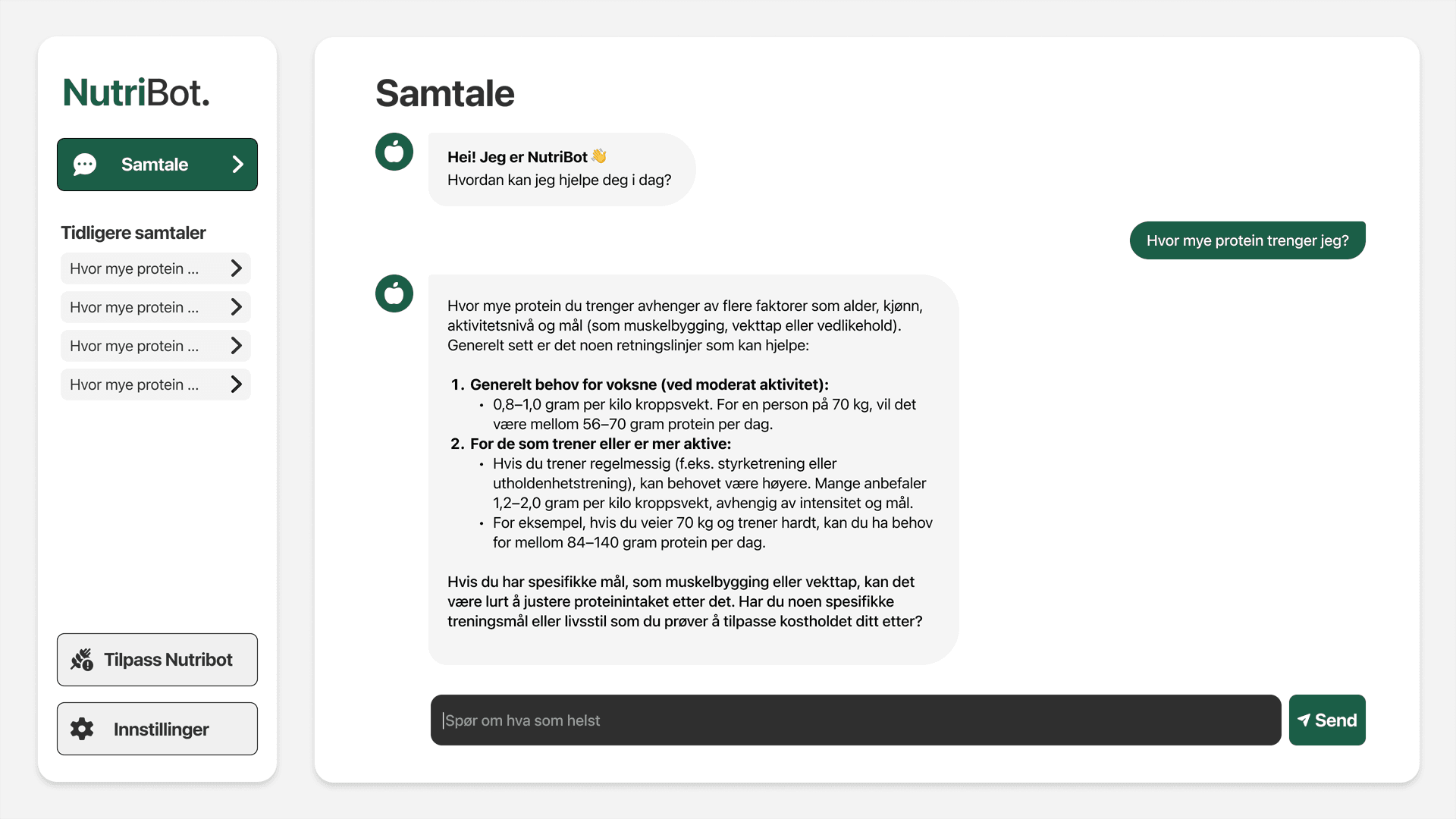
Main Chatbot Interface

Lets users ask nutrition-related questions in Norwegian through a simple conversational layout.
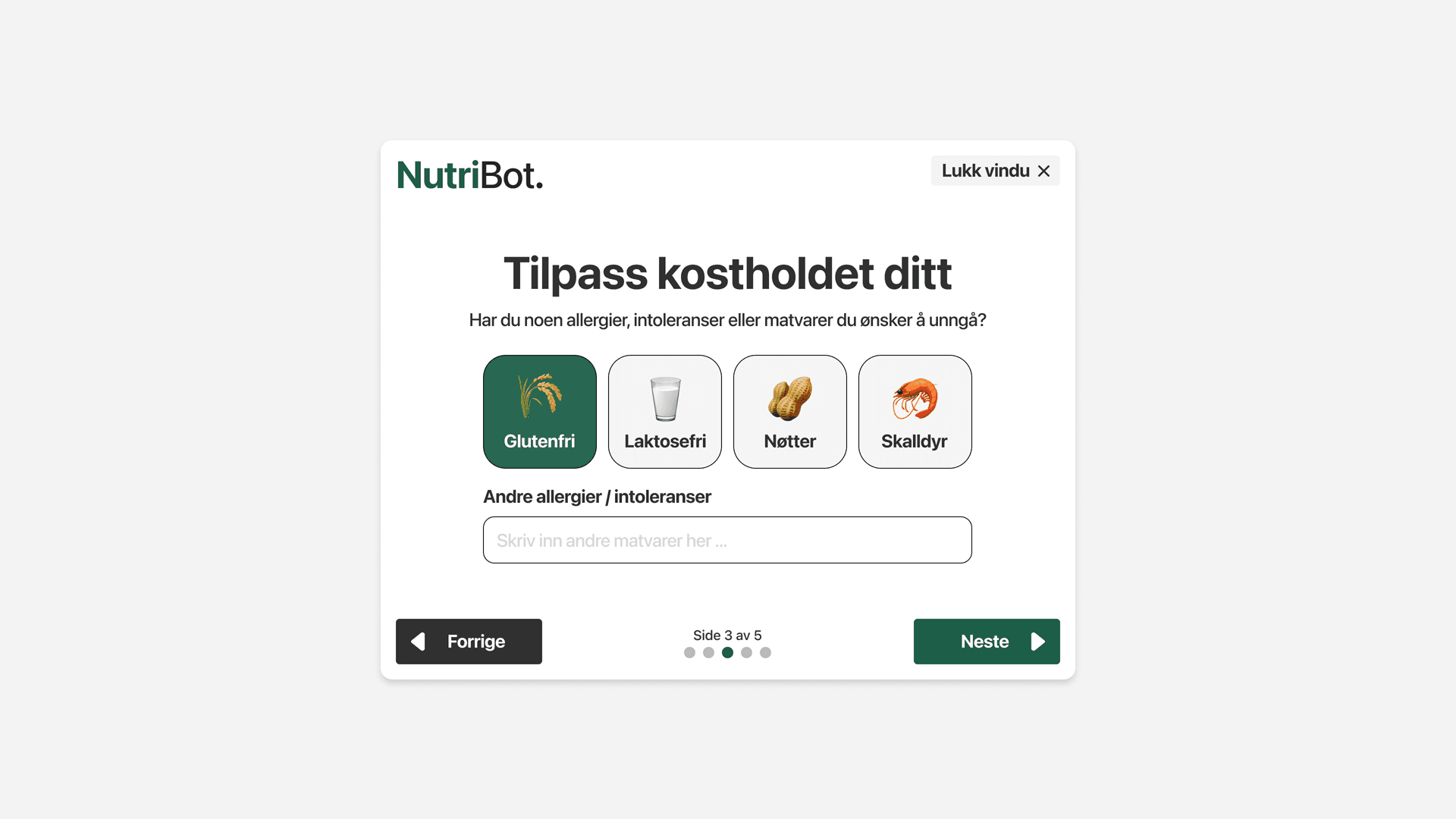
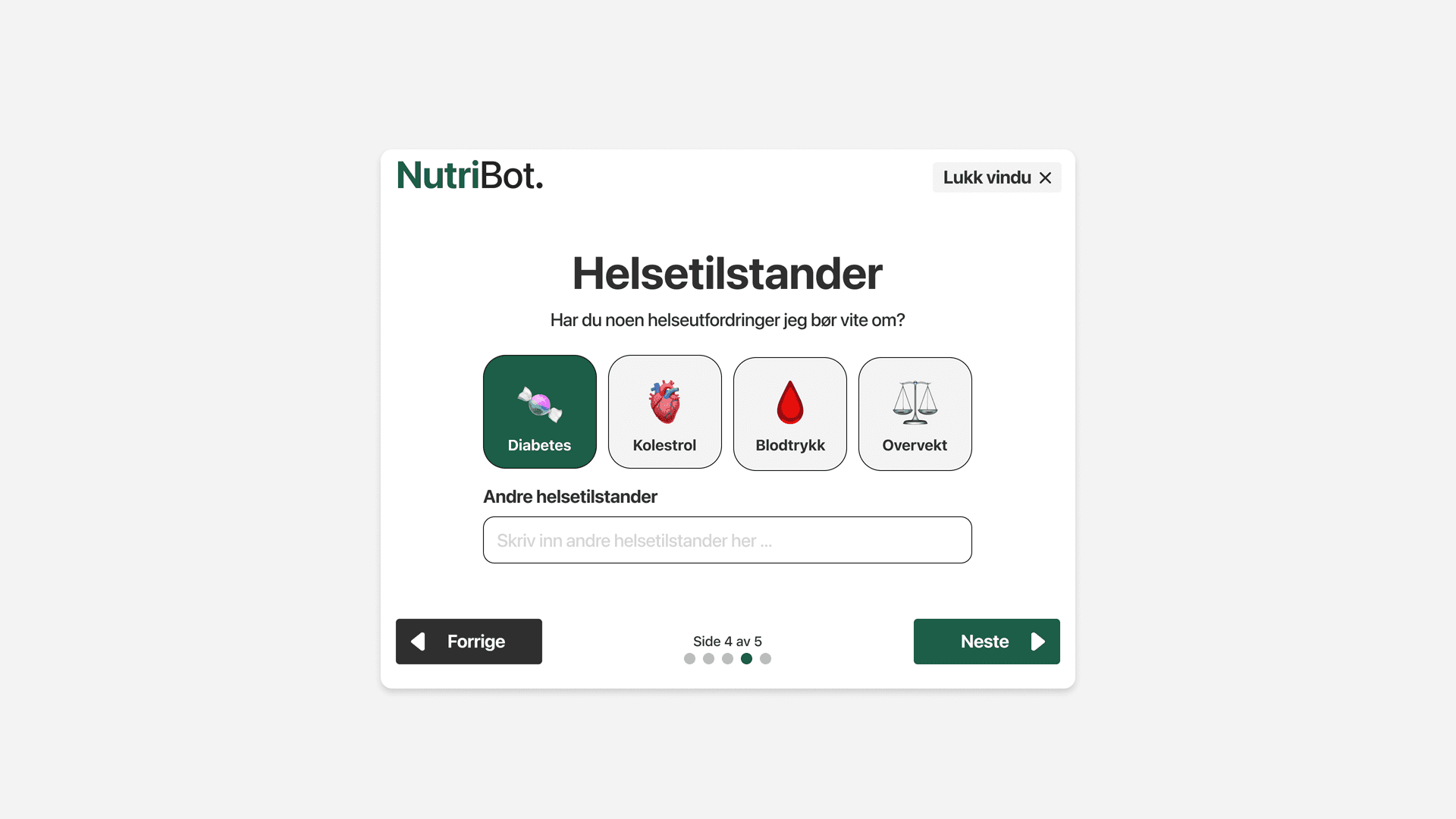
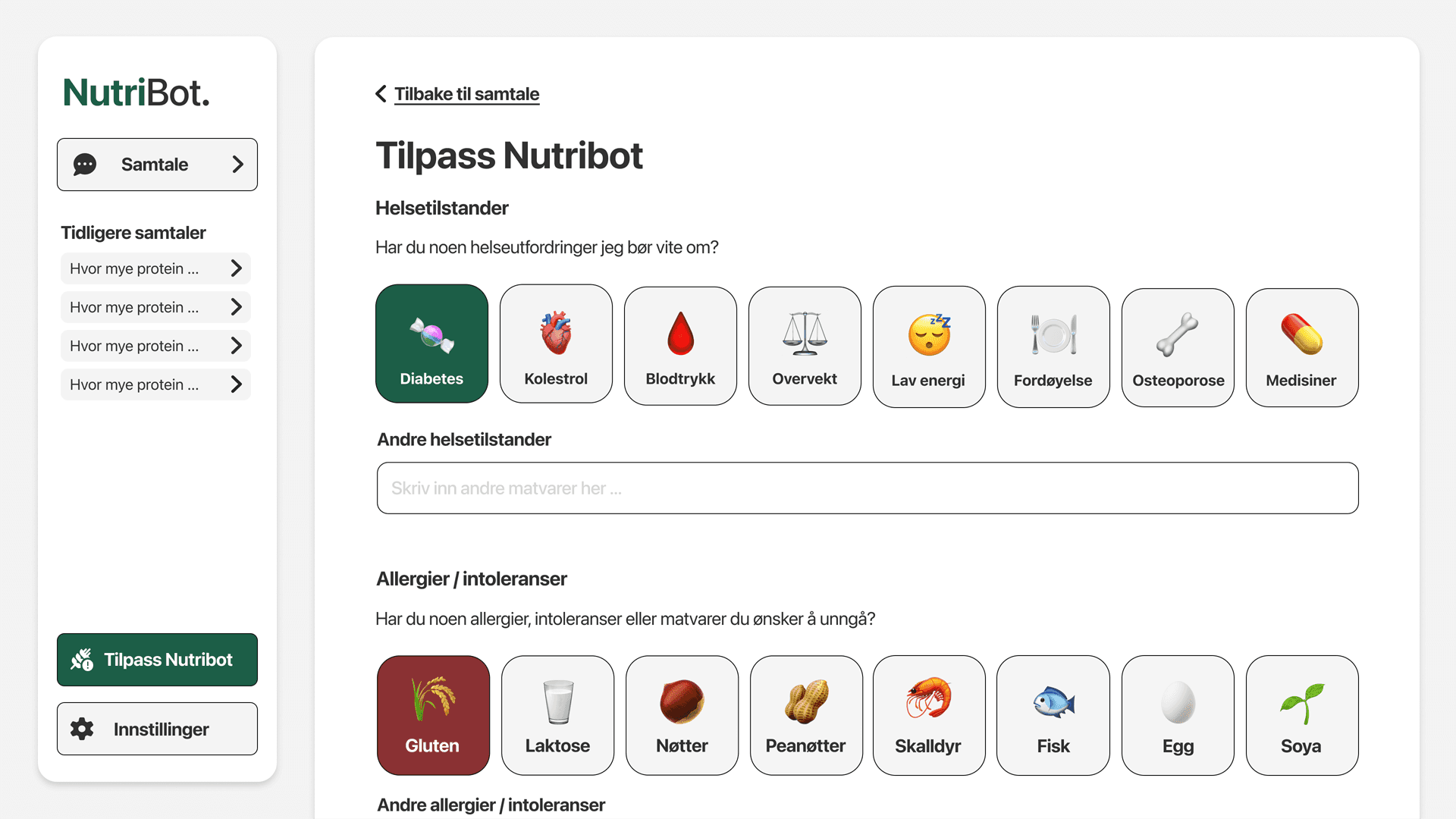
Personalized Onboarding

Collects allergies, food preferences and health conditions so the chatbot can adapt its responses.

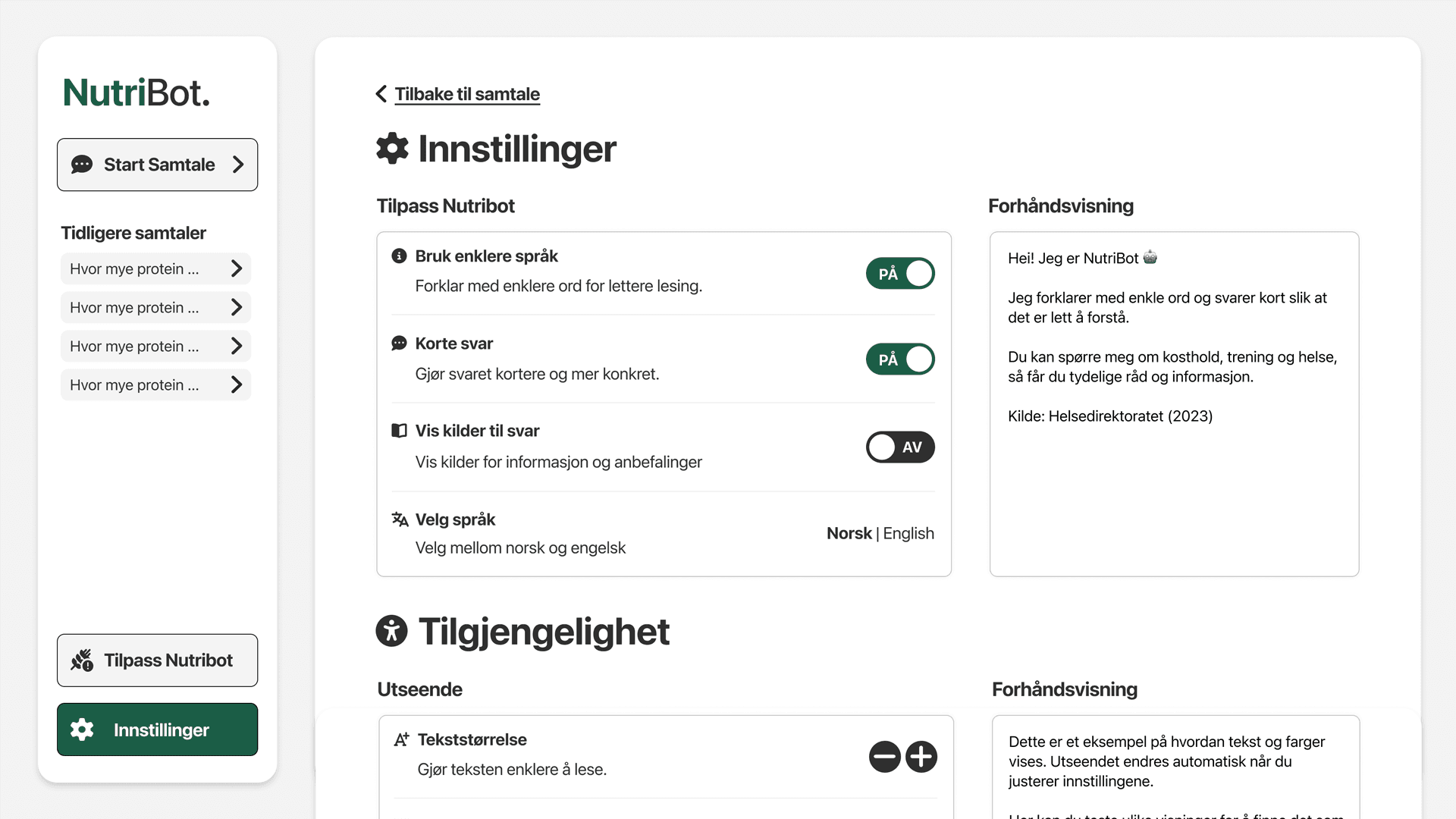
Preference Settings

Allows users to review and update allergies, dietary needs and health-related information after onboarding.
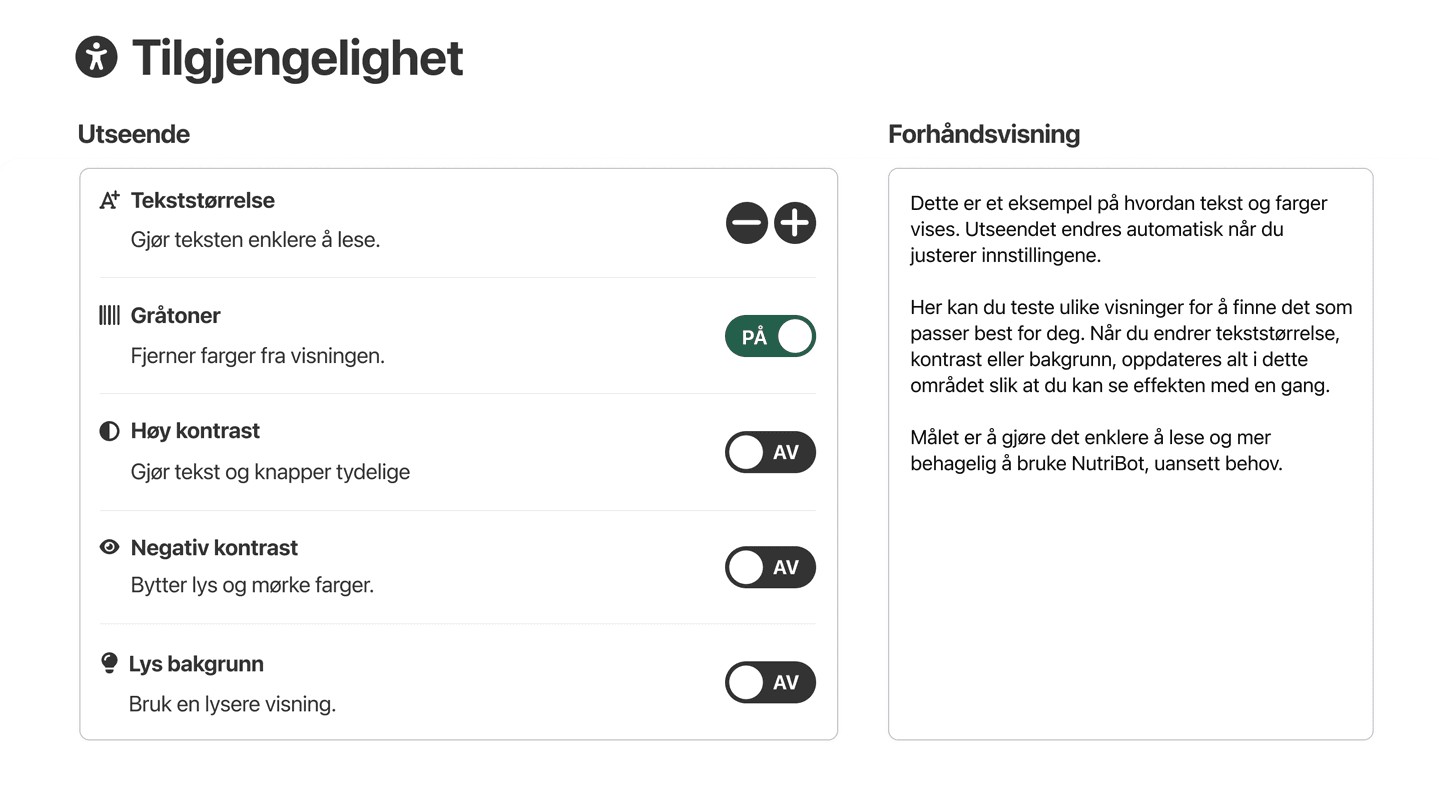
Accessibility Settings

Includes adjustable text size to make the interface easier to read and use for older adults.
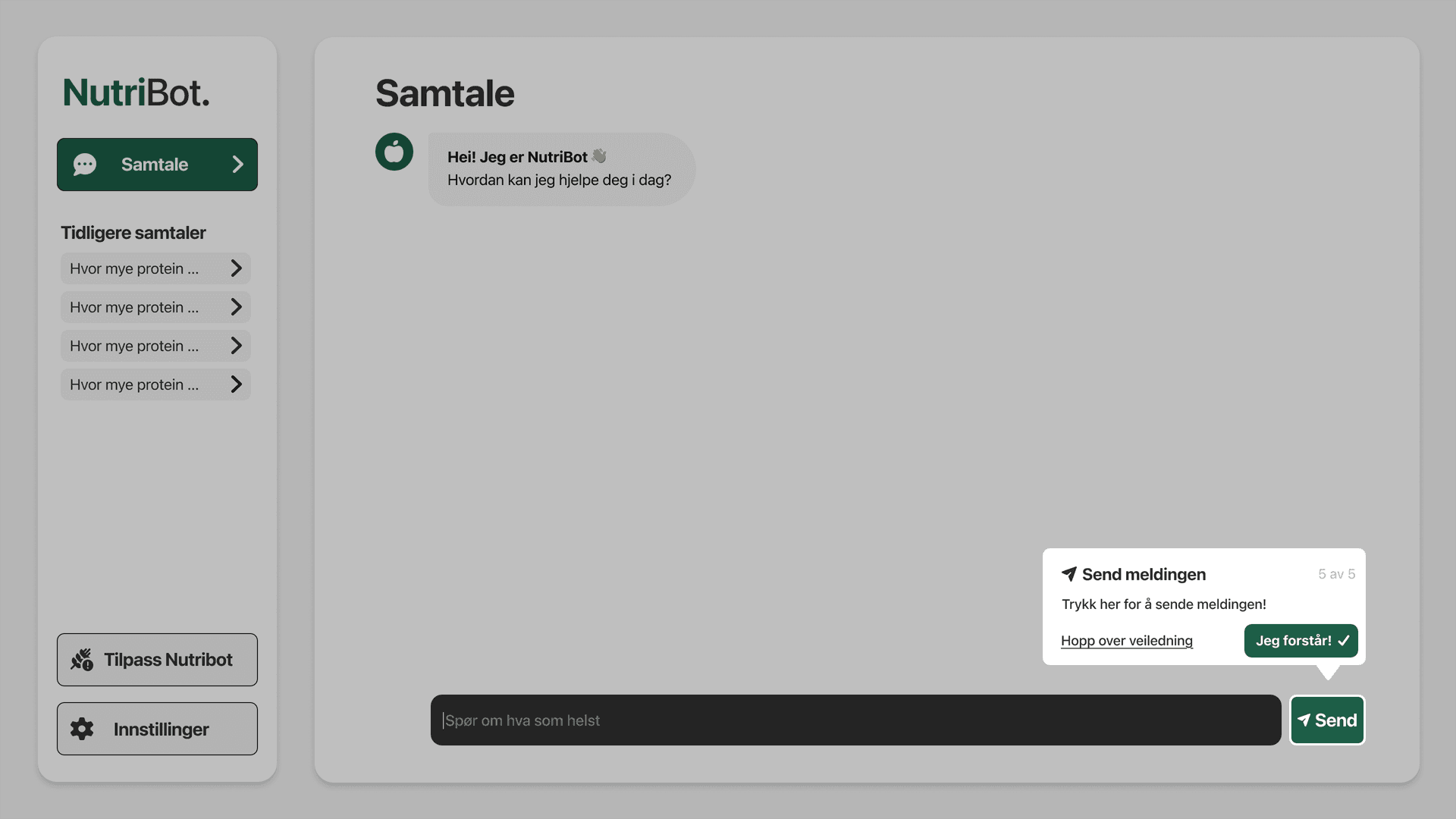
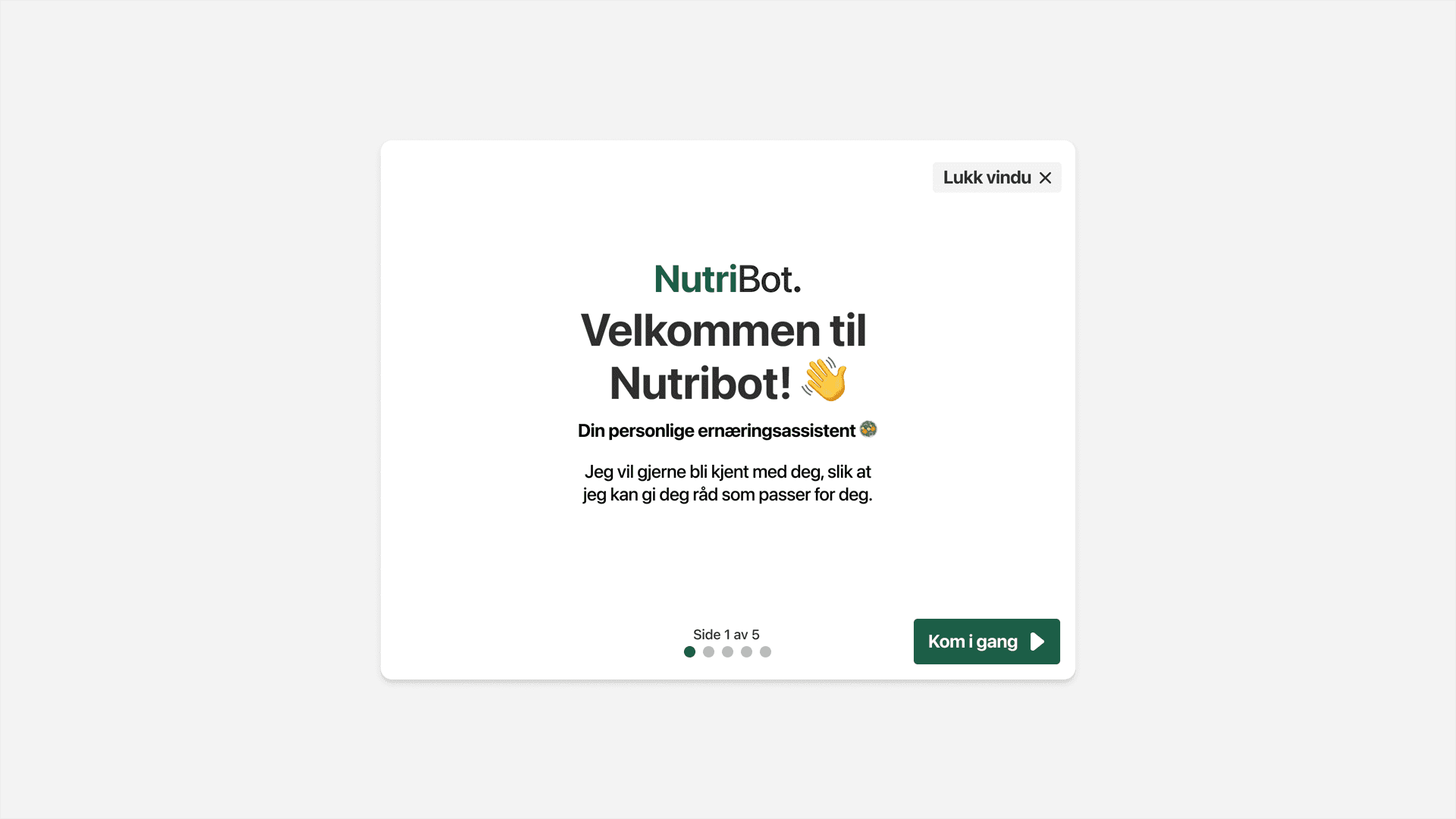
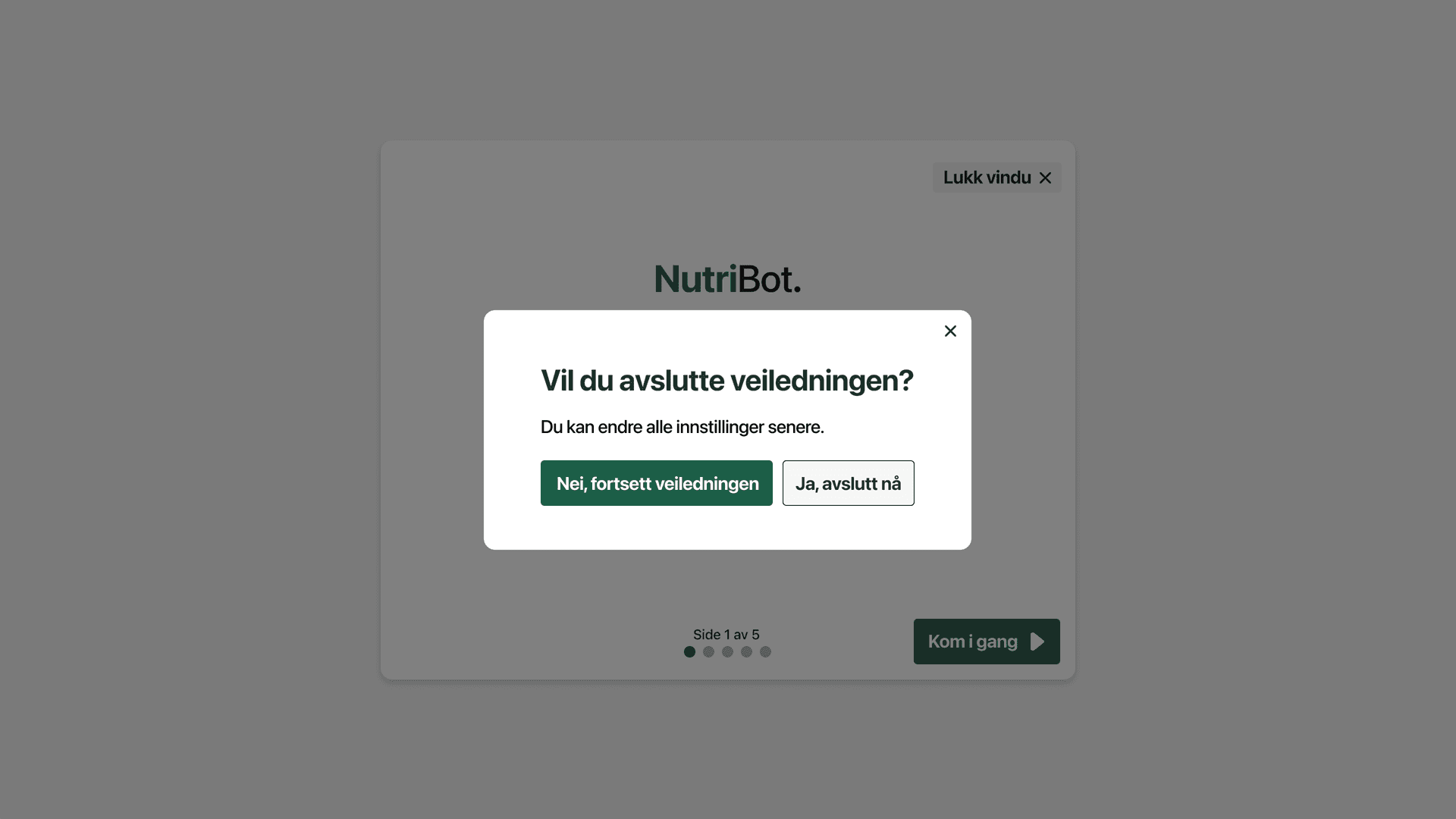
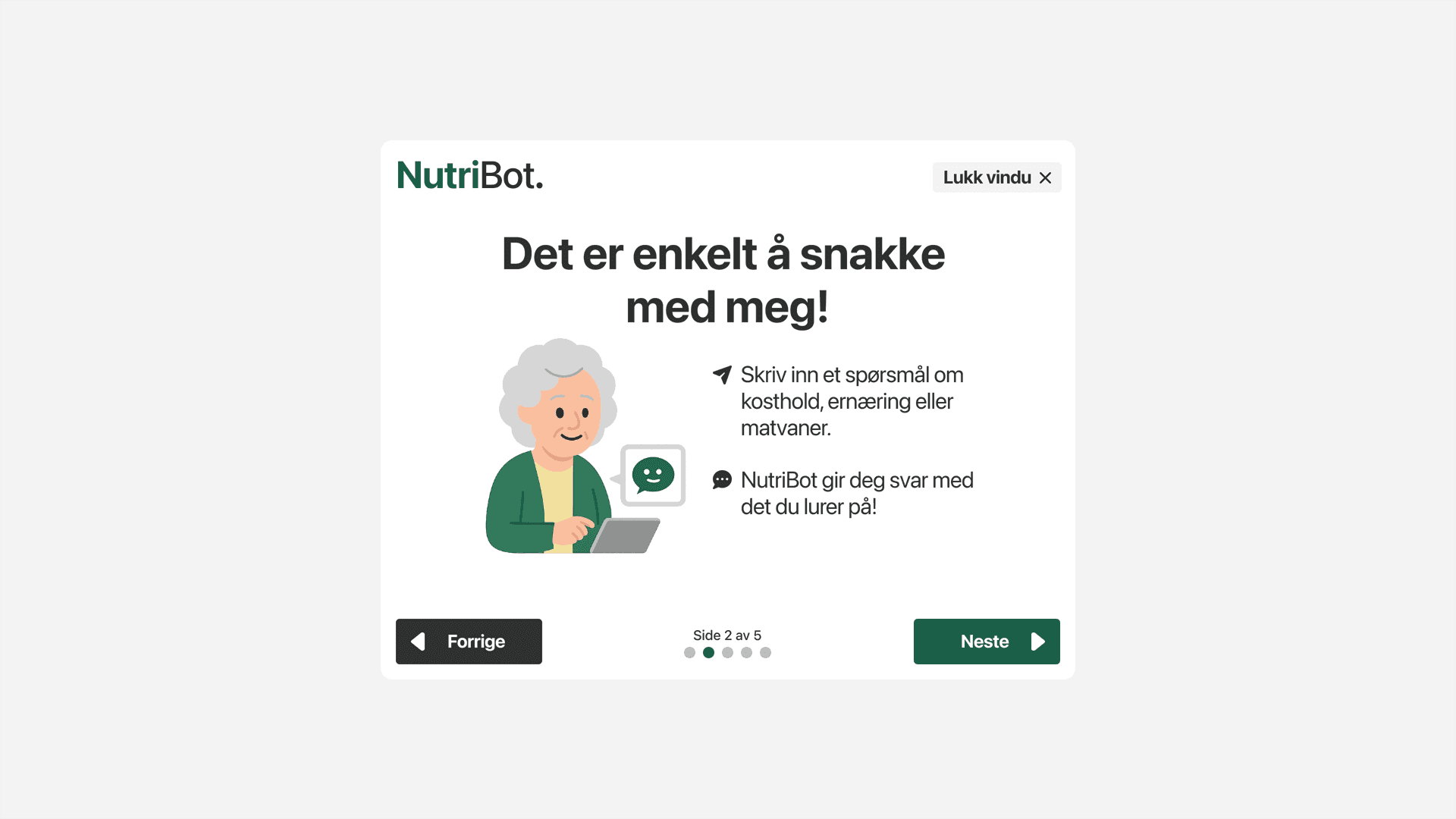
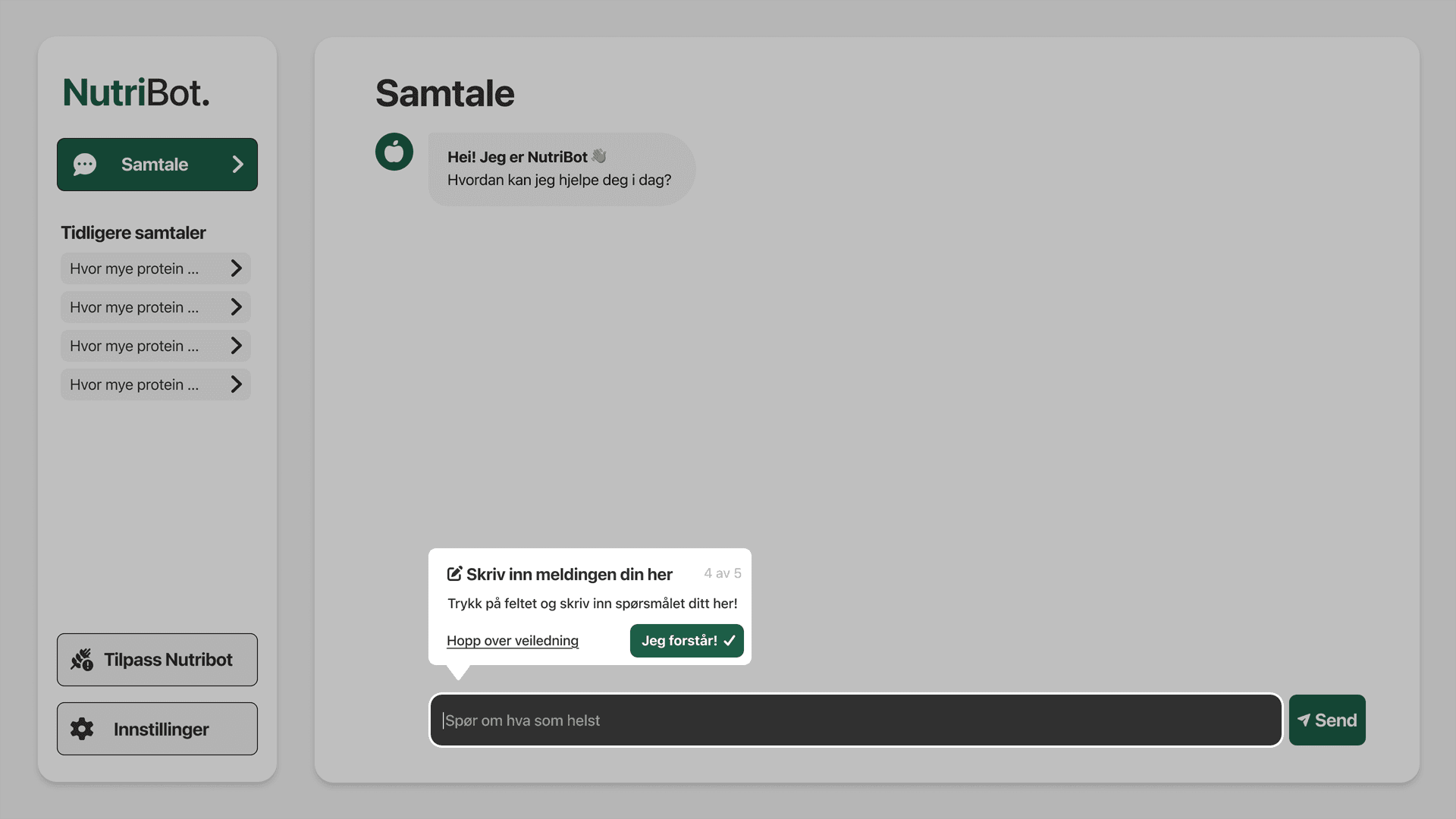
Guidance Tutorial

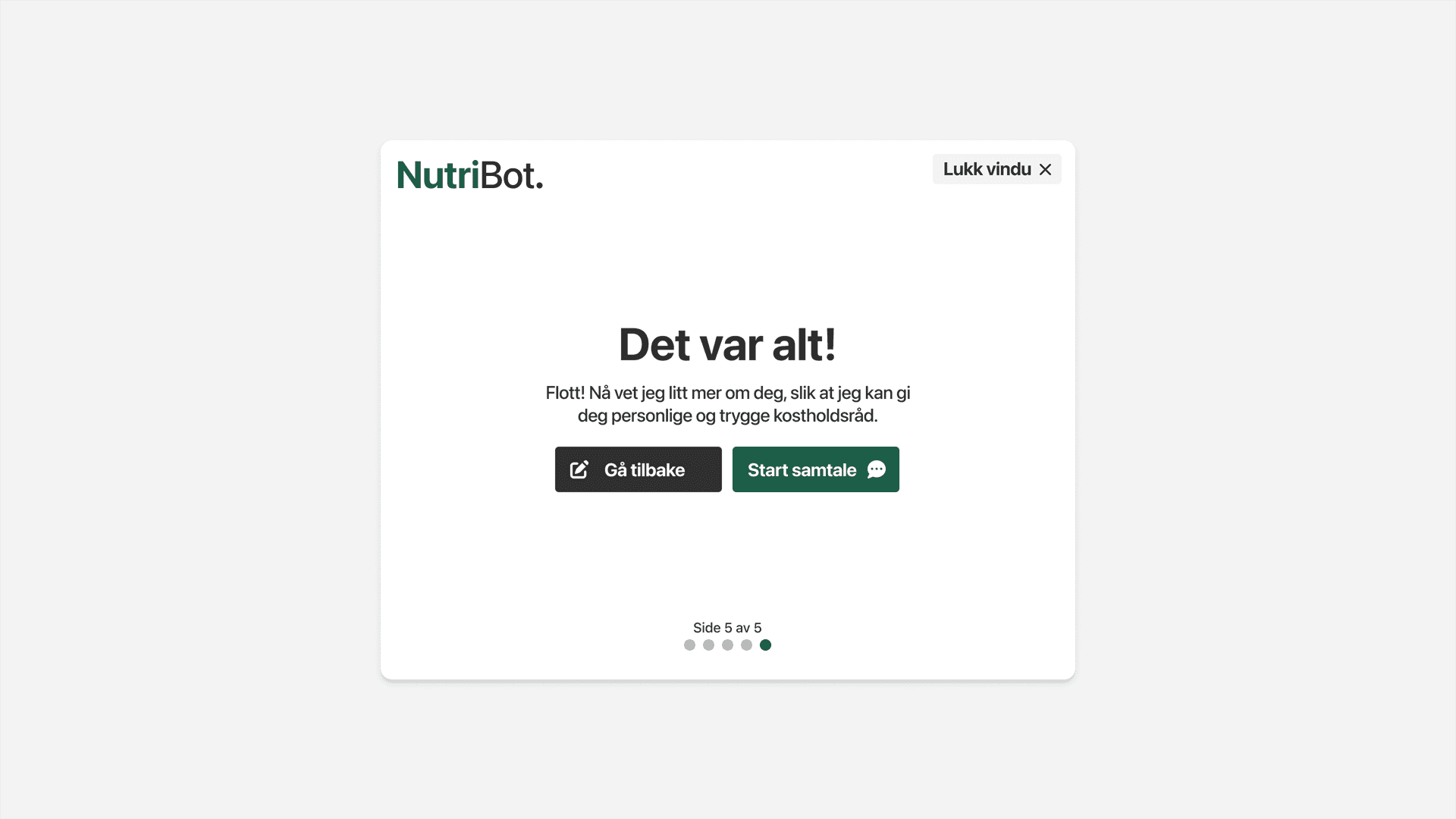
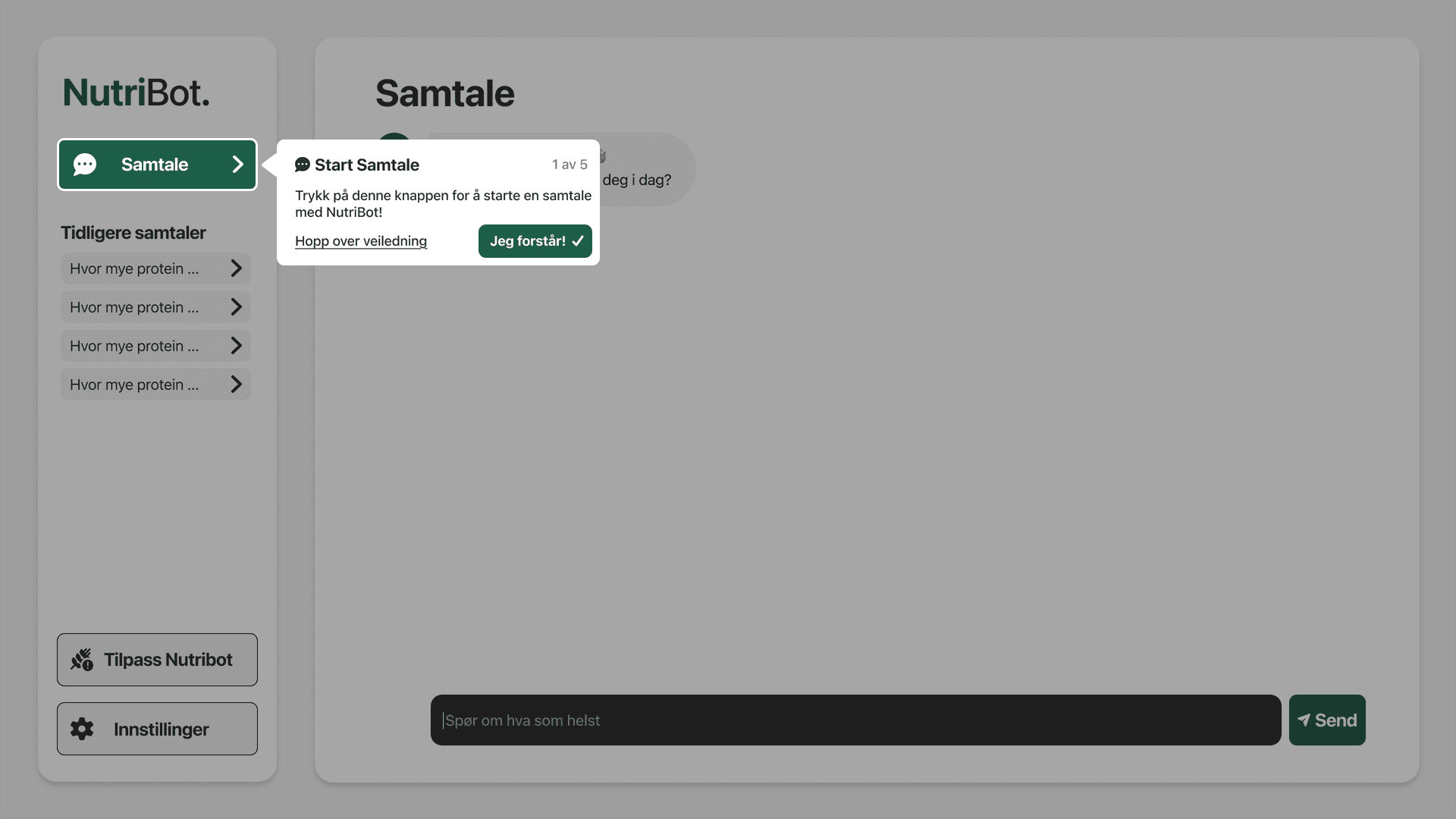
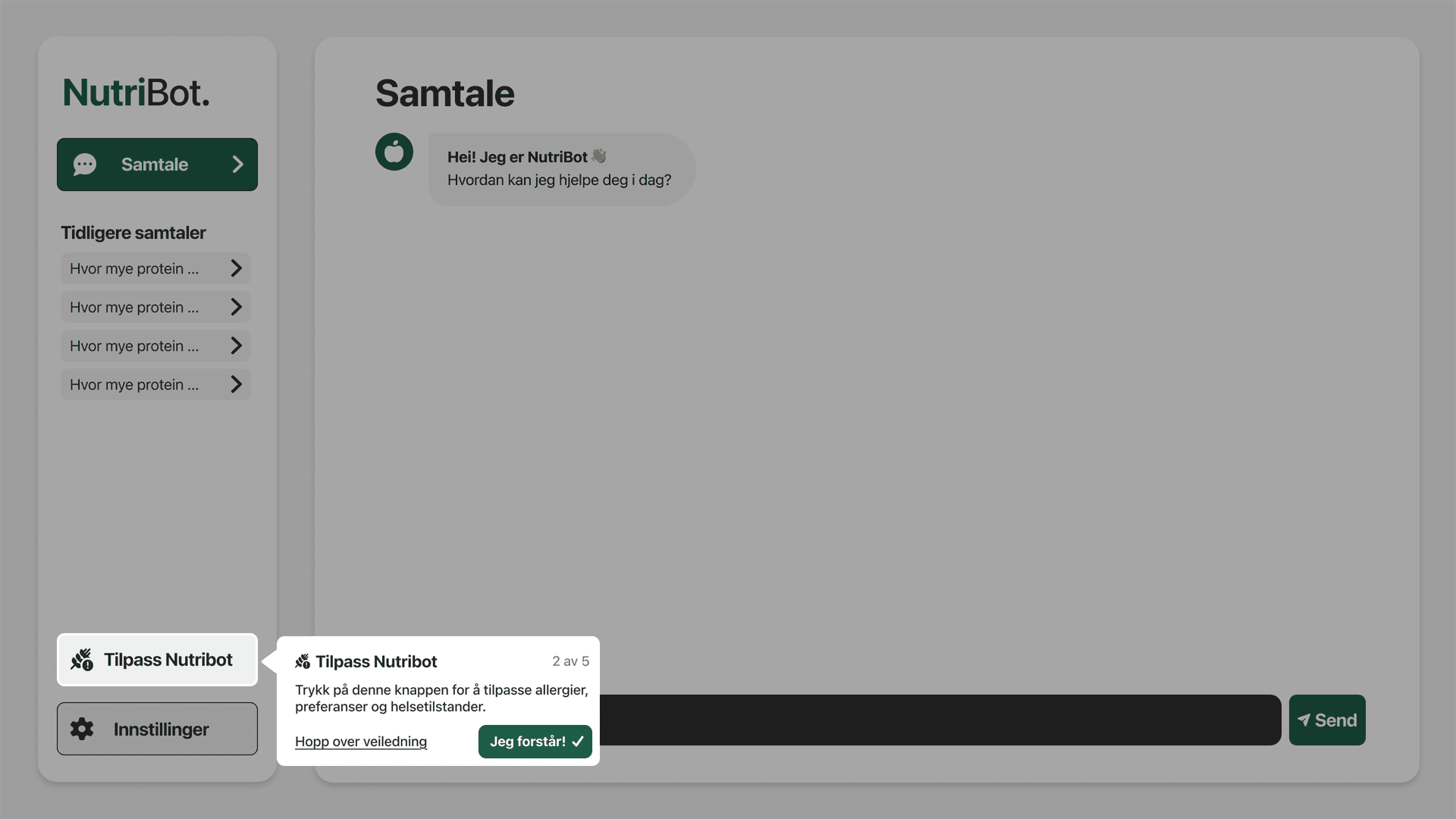
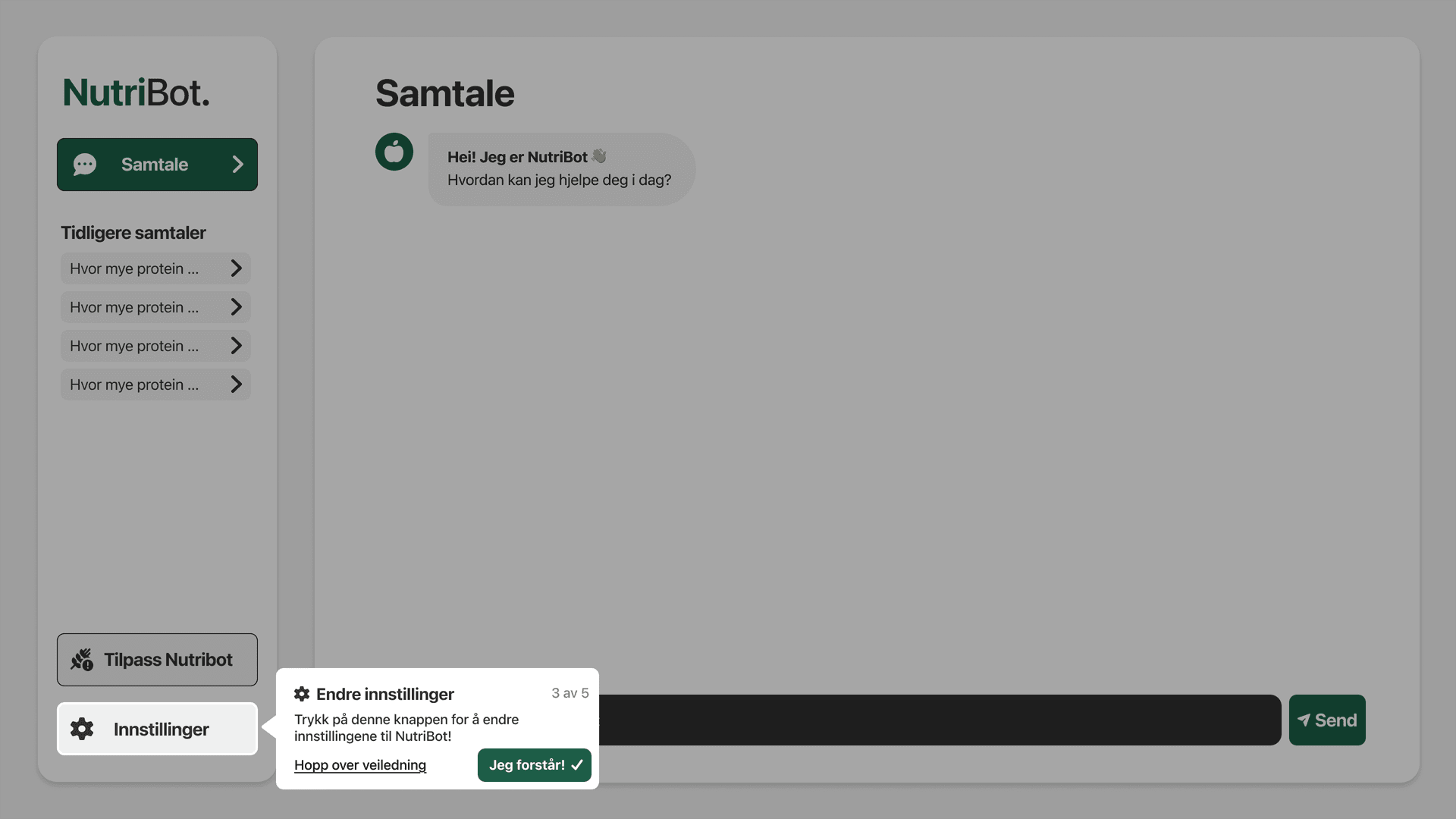
A five-step tutorial added after user testing to explain the chat screen, input field, menu and navigation options.

User Testing & Findings

The prototype was tested with older adults using realistic tasks, such as asking about salt intake, changing preferences, adjusting text size and requesting meal suggestions.

The prototype was tested with older adults using realistic tasks, such as asking about salt intake, changing preferences, adjusting text size and requesting meal suggestions.

12

Older adult participants

Older adult participants

Task-based

Realistic tasks in the prototype

Realistic tasks in the prototype

Interviews

Open questions about experience and suggestions

Open questions about experience and suggestions

Onboarding worked, but needed a stronger transition

Users could enter allergies and preferences, but several were unsure what to do when they first reached the main chat screen.

Short questions worked well

Users generally asked short and simple questions and usually received useful answers.

Long responses could feel overwhelming

Some users skimmed longer answers, and weekly meal plans were sometimes experienced as too much text.

Navigation needed clarification

Some users did not realize that menu tabs were clickable, and some had trouble returning to the chat after entering menus.

Personalization was noticed

Users noticed that NutriBot remembered preferences such as allergies, salt preferences and health conditions.

Design Improvements

User testing revealed that some users needed clearer guidance and navigation. Based on these findings, the prototype was revised to make the experience easier to understand, easier to navigate and more supportive for older adults.

User testing revealed that some users needed clearer guidance and navigation. Based on these findings, the prototype was revised to make the experience easier to understand, easier to navigate and more supportive for older adults.

Guidance Tutorial

Before

Before

Several users were unsure what to do when they first reached the main chat screen.

After

After

A five-step tutorial was added to explain the chat screen, input field, menu and navigation options.
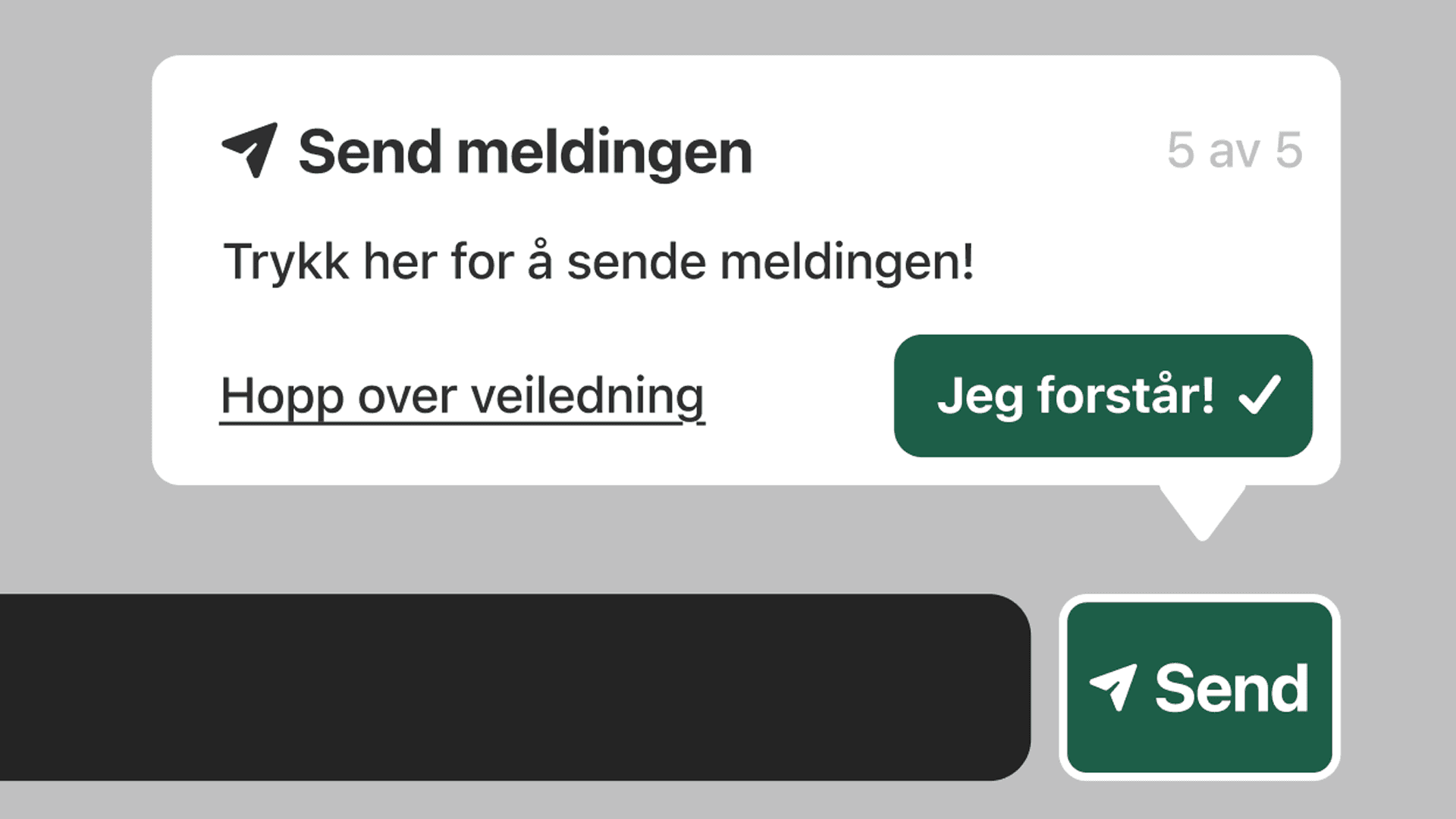
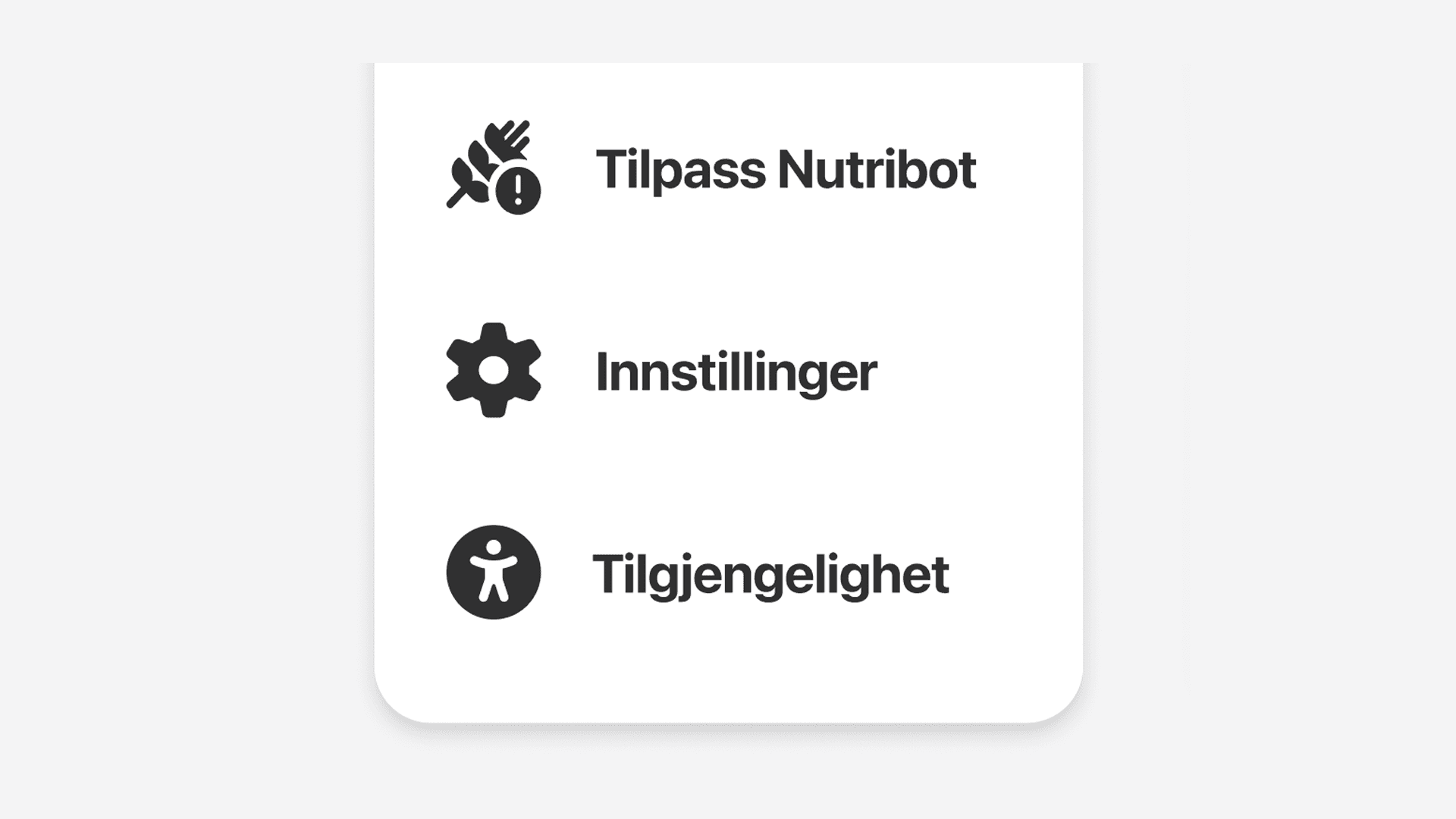
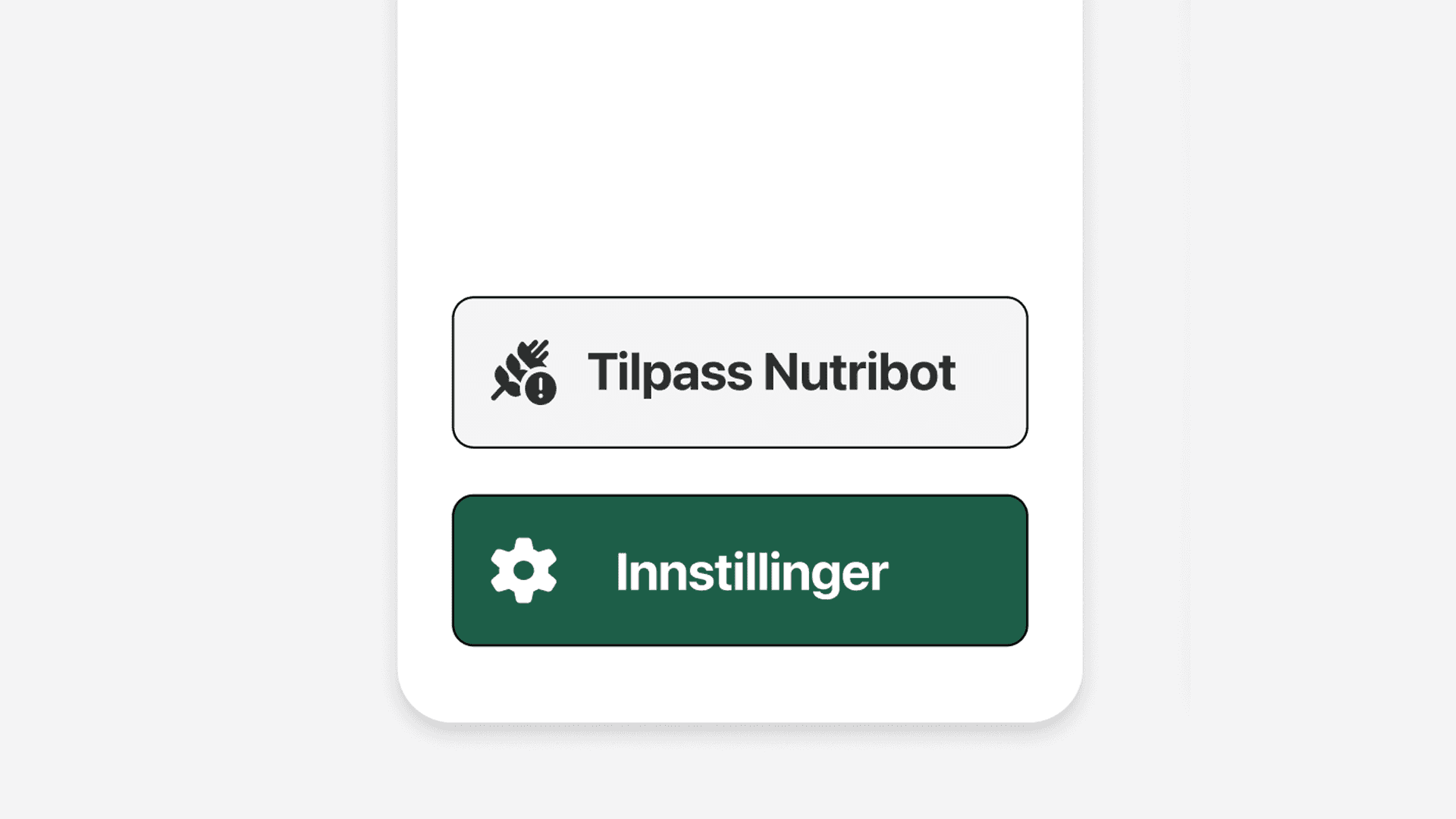
Clearer Menu Buttons

Before

Before

Some users did not realize that the menu tabs were clickable.
After

After

The menu was redesigned so the tabs looked more like clear interactive buttons.
Back to Chat

Before

Before

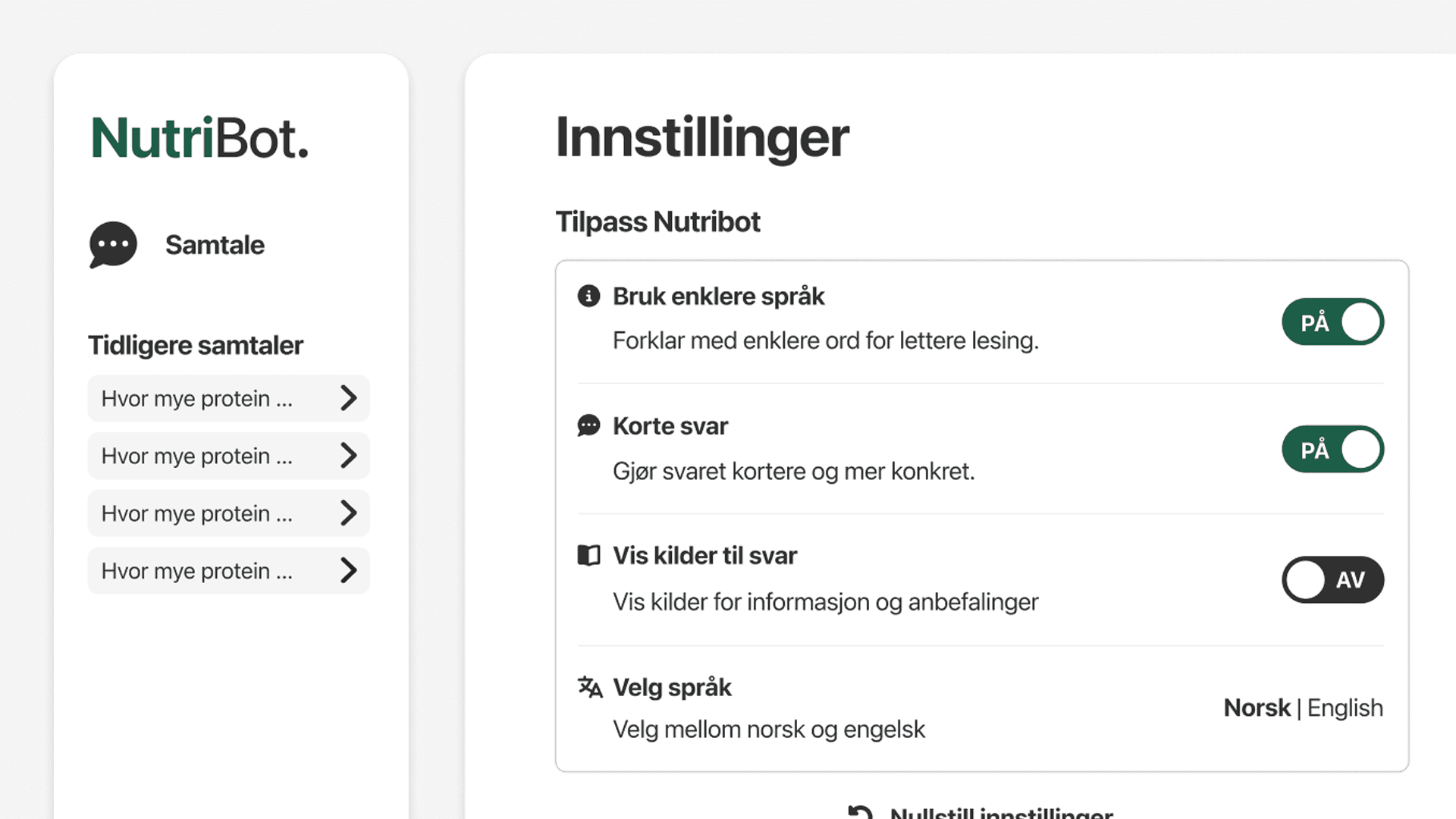
Some users had trouble returning to the main chat after entering menus.
After

After

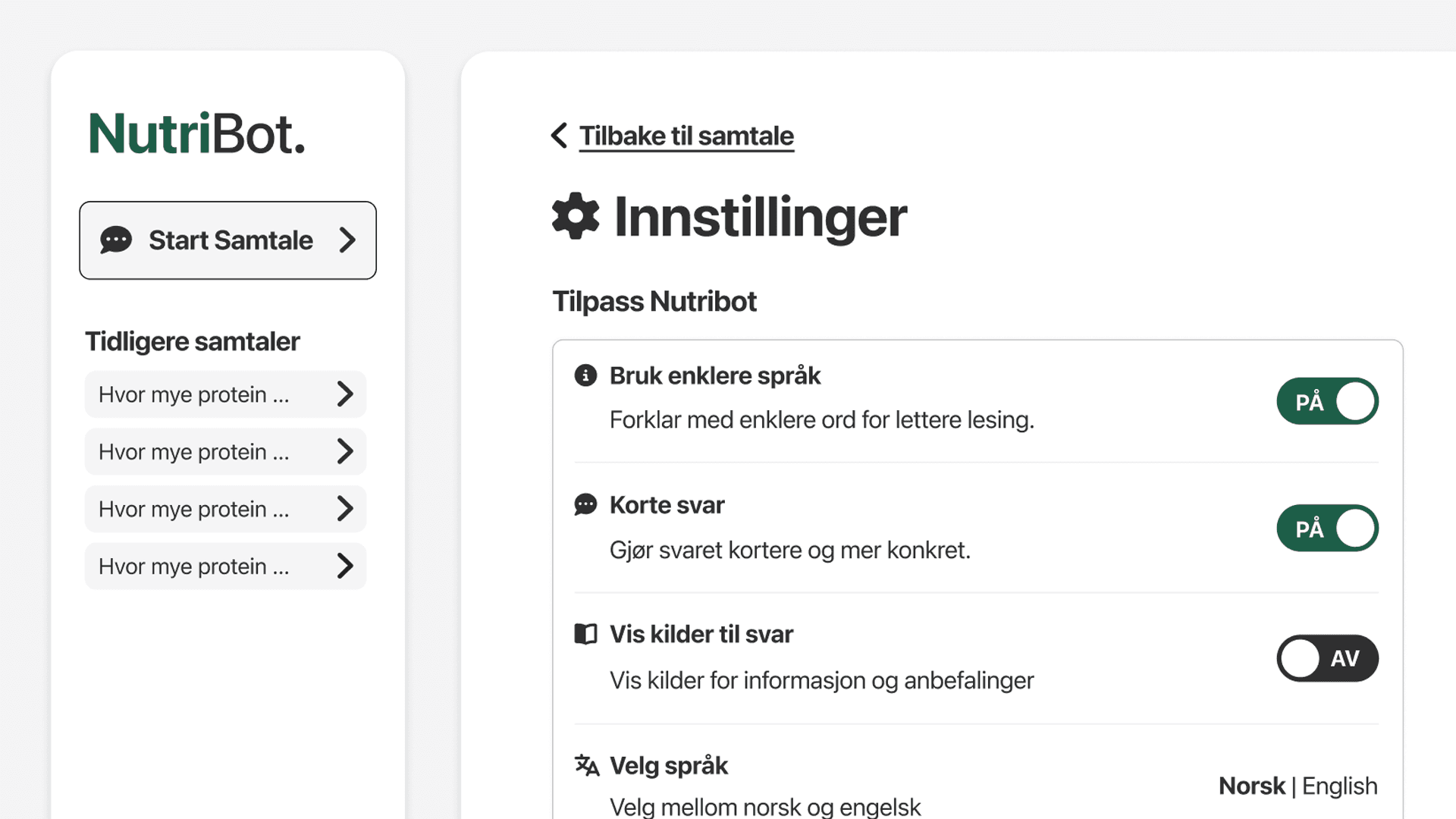
A direct “Back to chat” option was added to make navigation easier.
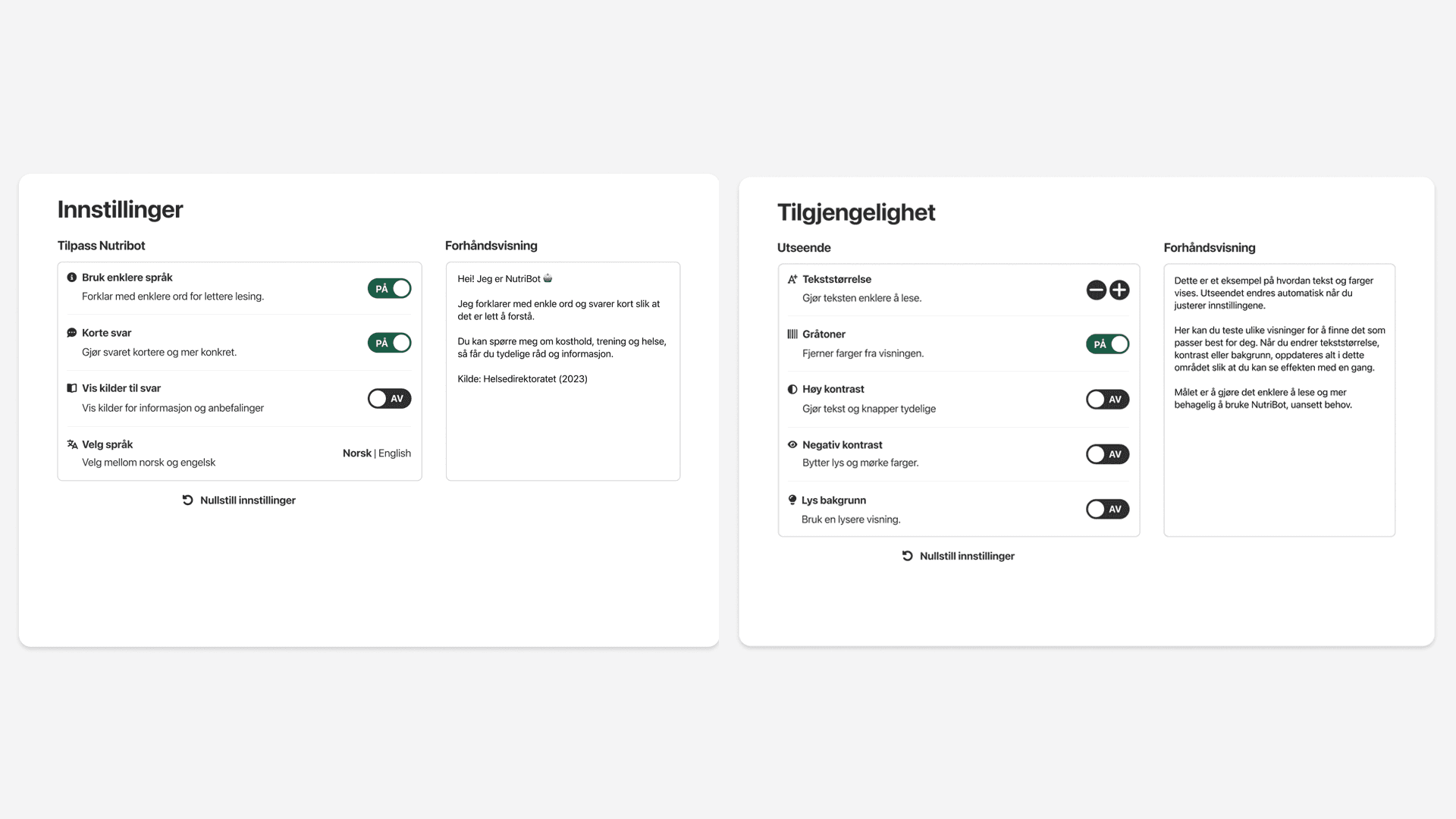
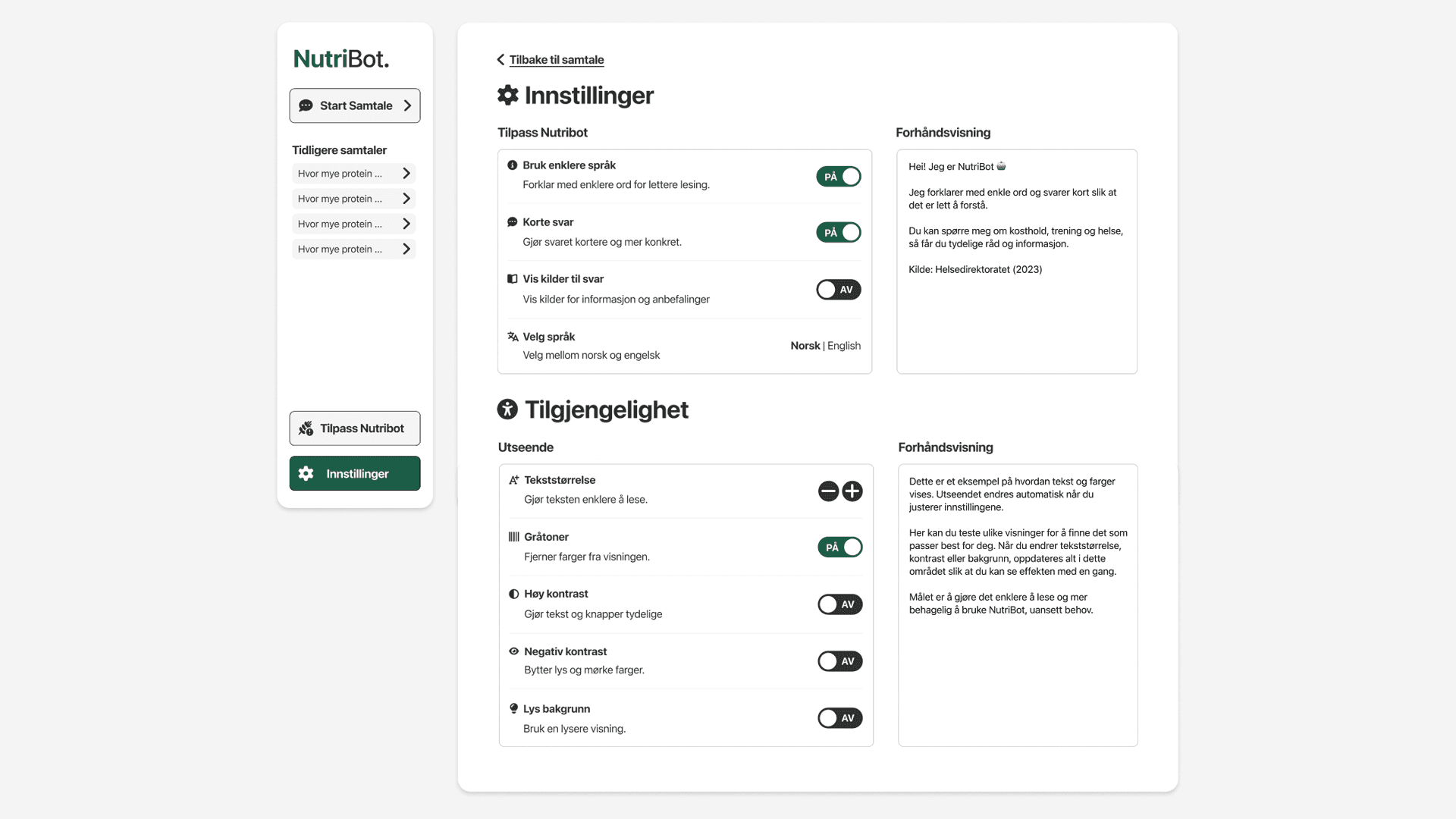
Combined Settings

Before

Before

Settings and accessibility were separated, which made some options harder to find.
After

After

Settings and accessibility were combined into one clearer section.
Final Outcome

The final result was a functional high-fidelity prototype of NutriBot, an accessible chatbot concept for older adults seeking nutrition guidance.


The prototype included onboarding, personalized chatbot responses, preference editing, settings, accessibility options and a main chat interface. It was tested with users in the target group and improved based on the findings.

The final result was a functional high-fidelity prototype of NutriBot, an accessible chatbot concept for older adults seeking nutrition guidance.


The prototype included onboarding, personalized chatbot responses, preference editing, settings, accessibility options and a main chat interface. It was tested with users in the target group and improved based on the findings.

The final result was a functional high-fidelity prototype of NutriBot, an accessible chatbot concept for older adults seeking nutrition guidance.


The prototype included onboarding, personalized chatbot responses, preference editing, settings, accessibility options and a main chat interface. It was tested with users in the target group and improved based on the findings.

Reflection

This section reflects on what I learned through the project, the current limitations of the prototype, and opportunities for future improvements.

What I Learned

What I Learned

This project strengthened my understanding of how UI/UX design, accessibility and technical implementation work together in a real interactive system.

I learned that even when an interface looks simple, users may still need clearer guidance, especially if they are unfamiliar with the type of technology. The testing showed the importance of onboarding, visible navigation, readable content and clear feedback.

The project also showed how valuable user testing is. Several important improvements, such as the tutorial, clearer menu buttons and “Back to chat” option, came directly from observing how users interacted with the prototype.

This project strengthened my understanding of how UI/UX design, accessibility and technical implementation work together in a real interactive system.

I learned that even when an interface looks simple, users may still need clearer guidance, especially if they are unfamiliar with the type of technology. The testing showed the importance of onboarding, visible navigation, readable content and clear feedback.

The project also showed how valuable user testing is. Several important improvements, such as the tutorial, clearer menu buttons and “Back to chat” option, came directly from observing how users interacted with the prototype.

This project strengthened my understanding of how UI/UX design, accessibility and technical implementation work together in a real interactive system.

I learned that even when an interface looks simple, users may still need clearer guidance, especially if they are unfamiliar with the type of technology. The testing showed the importance of onboarding, visible navigation, readable content and clear feedback.

The project also showed how valuable user testing is. Several important improvements, such as the tutorial, clearer menu buttons and “Back to chat” option, came directly from observing how users interacted with the prototype.

Limitations & Future Work

Limitations & Future Work

The prototype had some limitations. Some accessibility features were only partially implemented, the interface was not fully responsive for mobile and tablet, and chatbot responses sometimes displayed formatting symbols that affected readability.

Future work could include a more complete accessibility evaluation, improved response formatting, responsive design for tablets and mobile devices, printable meal plans and longer-term testing to understand how older adults would use the chatbot over time.

The prototype had some limitations. Some accessibility features were only partially implemented, the interface was not fully responsive for mobile and tablet, and chatbot responses sometimes displayed formatting symbols that affected readability.

Future work could include a more complete accessibility evaluation, improved response formatting, responsive design for tablets and mobile devices, printable meal plans and longer-term testing to understand how older adults would use the chatbot over time.

The prototype had some limitations. Some accessibility features were only partially implemented, the interface was not fully responsive for mobile and tablet, and chatbot responses sometimes displayed formatting symbols that affected readability.

Future work could include a more complete accessibility evaluation, improved response formatting, responsive design for tablets and mobile devices, printable meal plans and longer-term testing to understand how older adults would use the chatbot over time.